Transcripts into notes
Turn every recorded conversation into custom or template-based clinical notes.
UX discovery · Healthcare AI
UX discovery for a Chrome extension for Freed AI, the AI scribe used by over 10,000 clinicians. It lets clinicians record visits and paste Freed’s notes into any browser-based EHR without switching tabs.
The problem
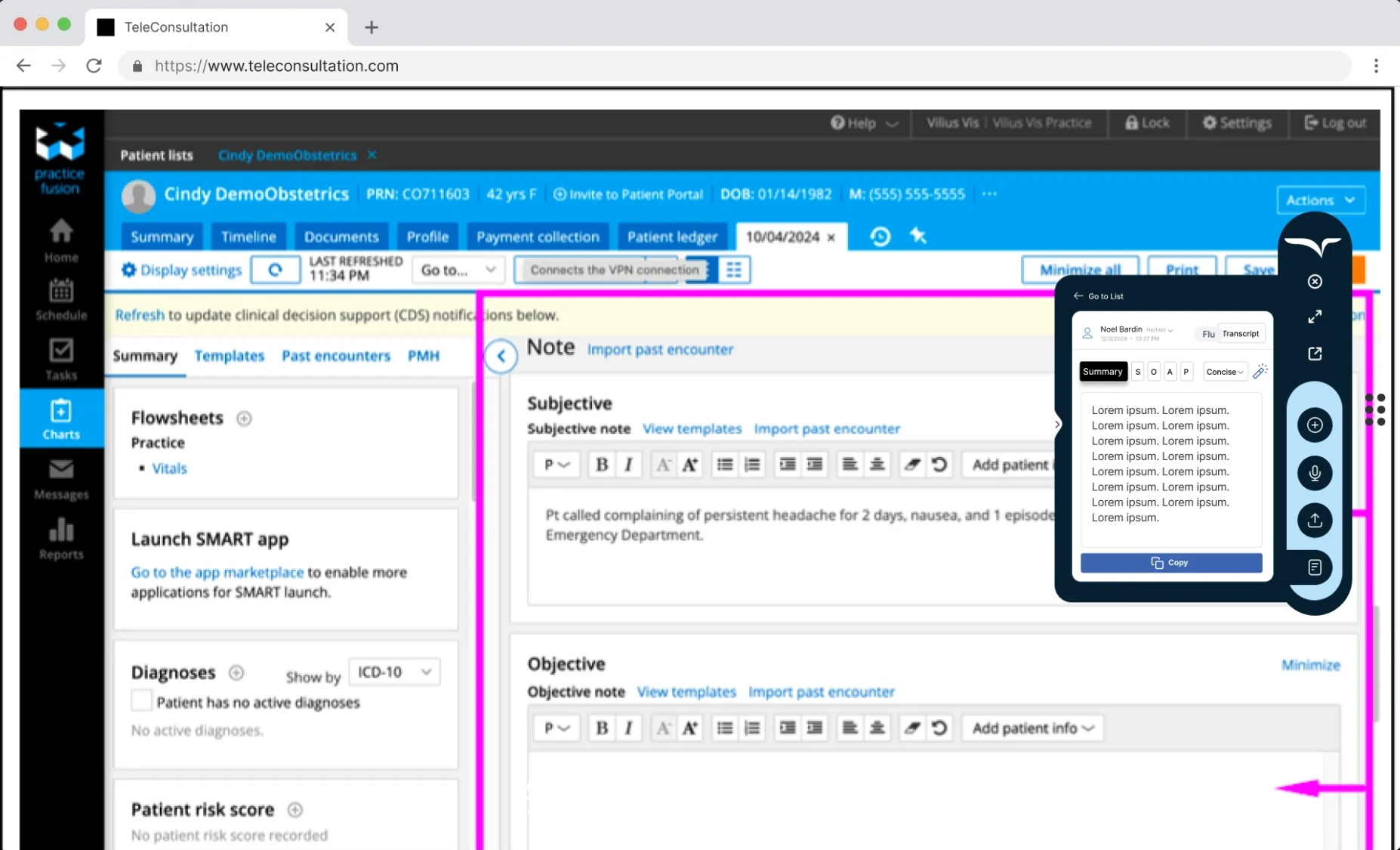
Freed listens to a clinician’s conversation with a patient and writes the medical documentation. But Freed isn’t where that documentation ends up: the final destination is the EHR, and every EHR is set up differently, sometimes even between clinics.
Some EHRs take the whole note in one field. Others need it pasted section by section, so clinicians switch tabs back and forth between Freed and their EHR. Even starting a recording means leaving the EHR to open Freed.
The aim of the discovery: make copying and pasting into a browser-based EHR as seamless as possible.
Freed’s product principles
The extension needed to record conversations and create transcripts automatically, then do four things well:
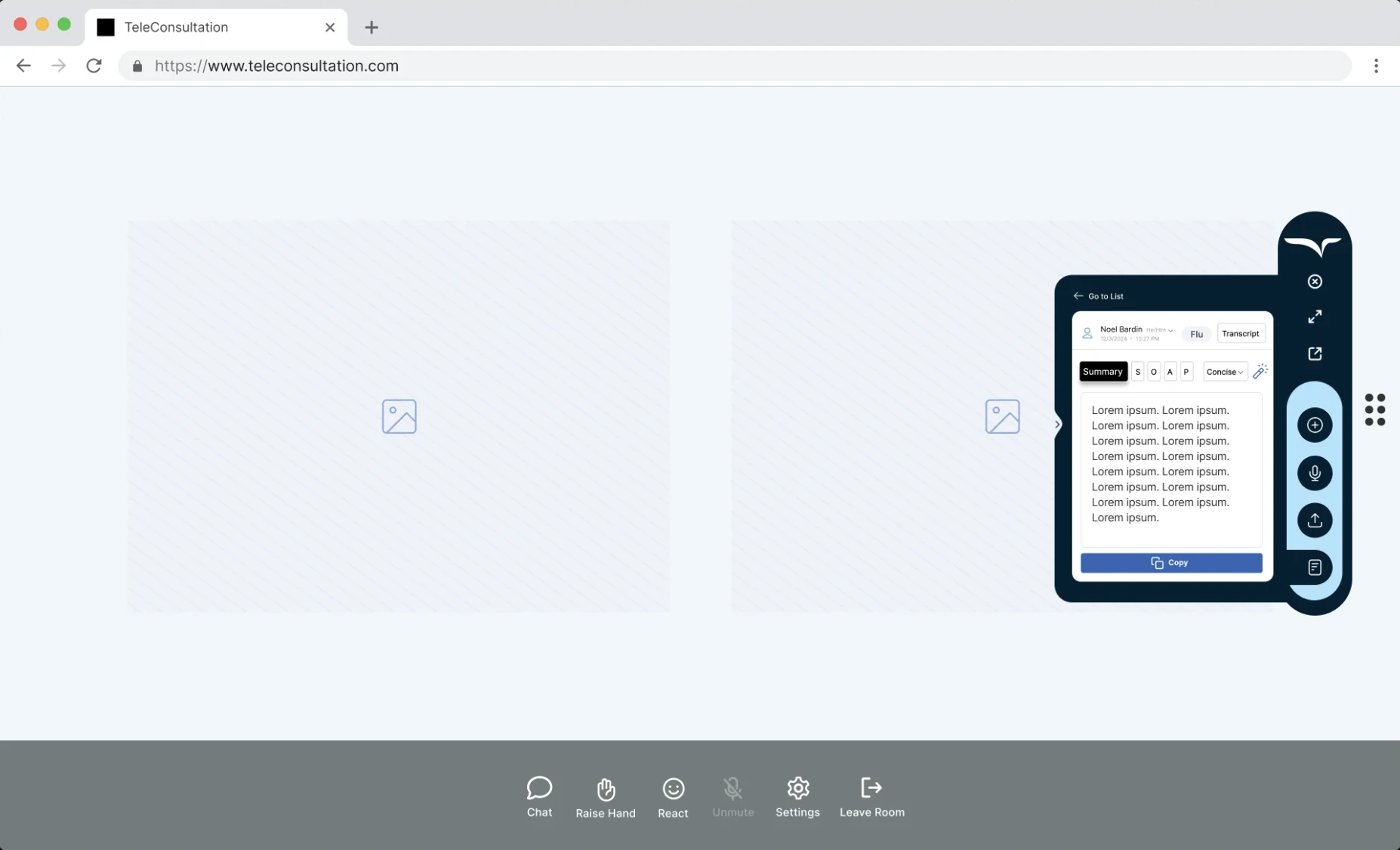
Turn every recorded conversation into custom or template-based clinical notes.
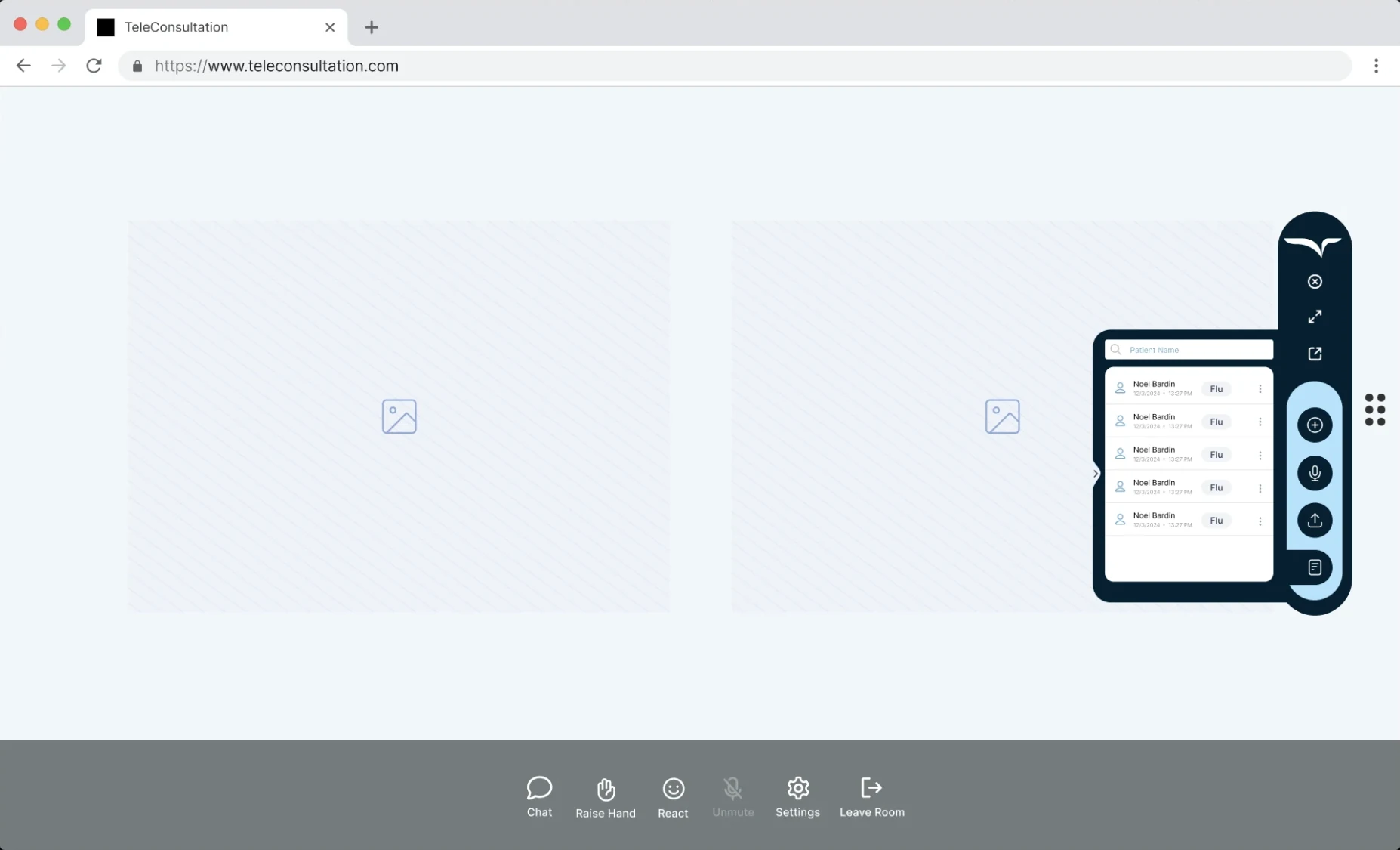
Keep track of every conversation with each patient, searchable in seconds.
Copy critical data into the clinician’s EHR or EMR without retyping.
Bring Freed AI into the browser, on top of the tools clinicians already use.
During the session
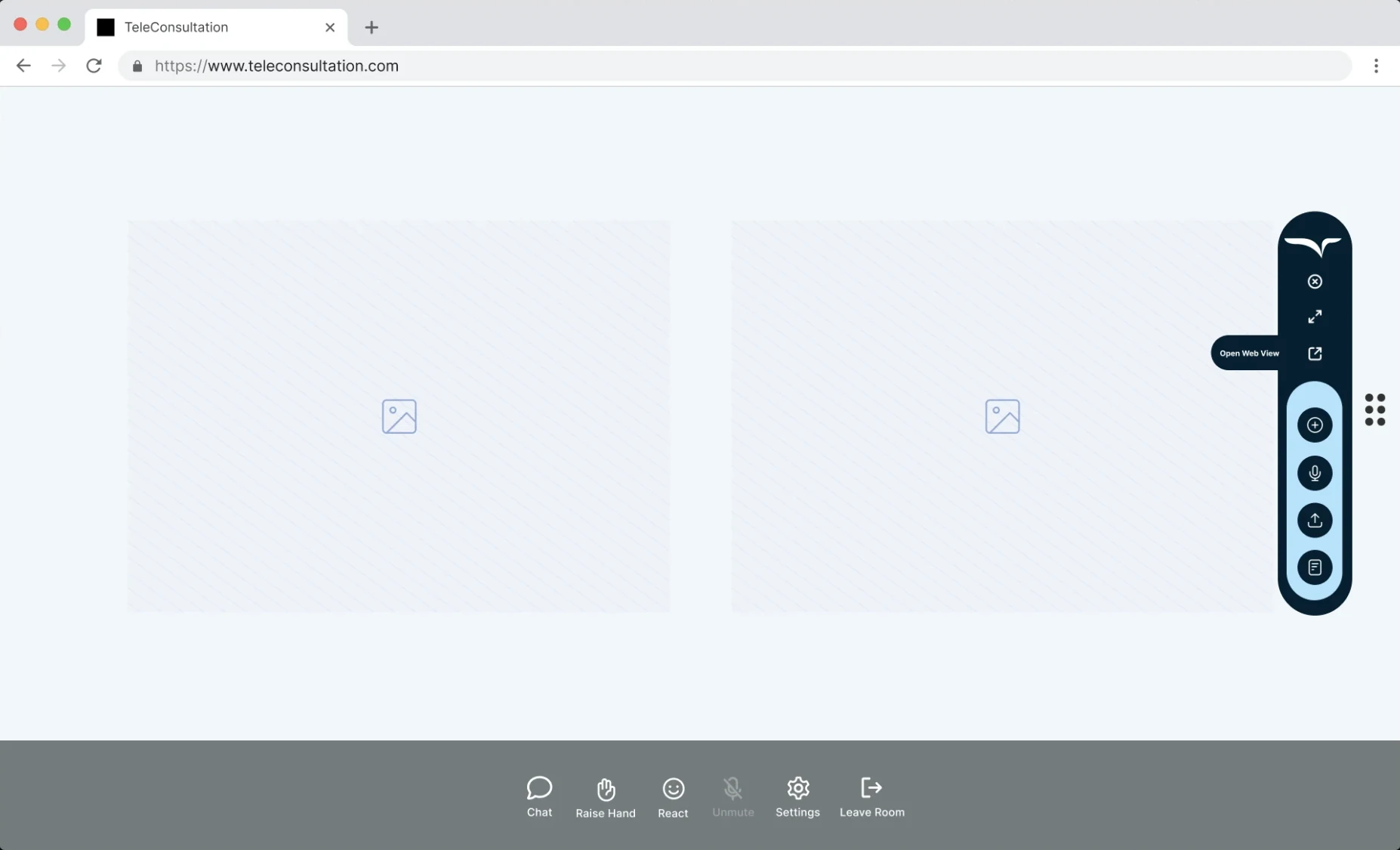
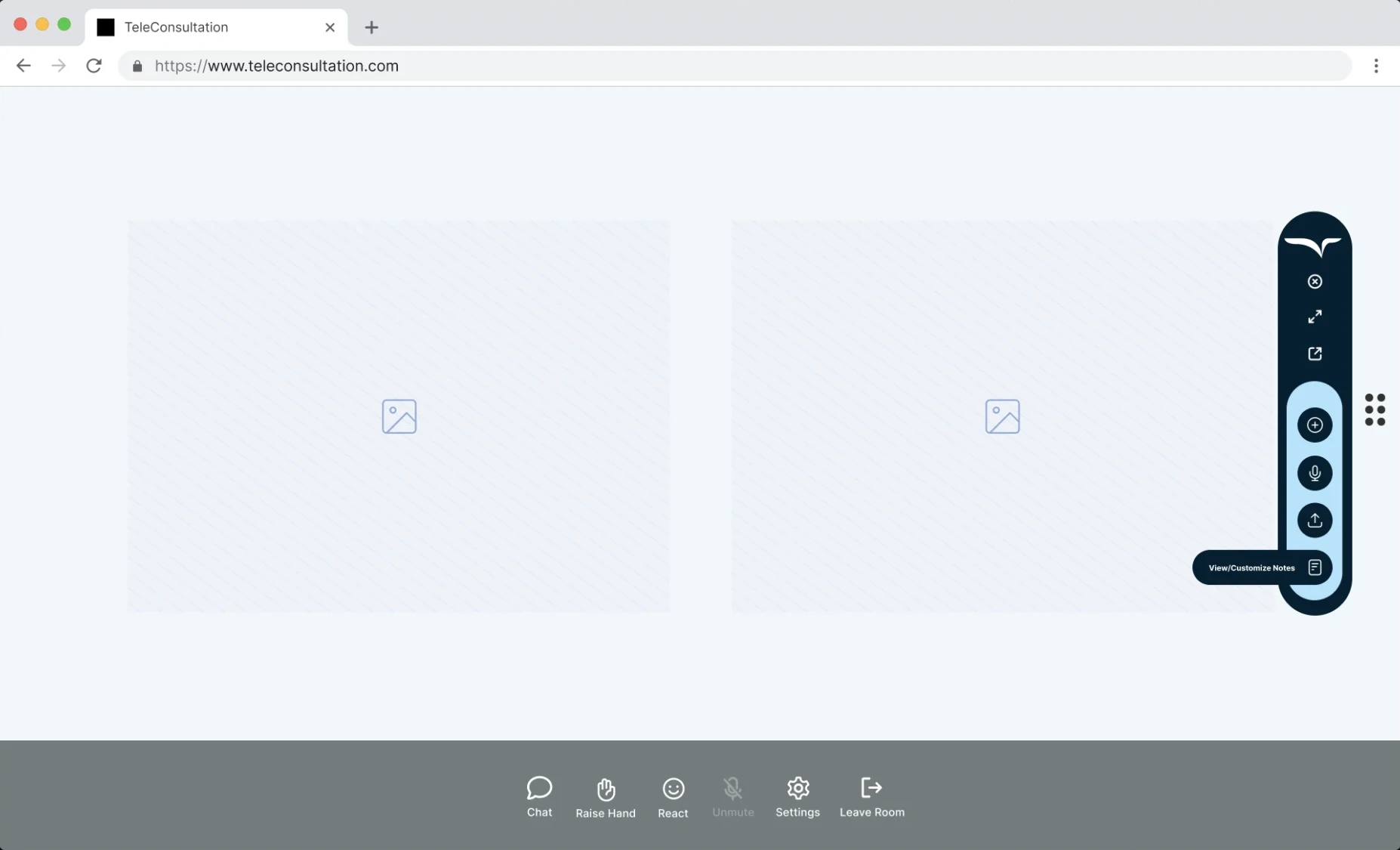
After the session
Design decisions
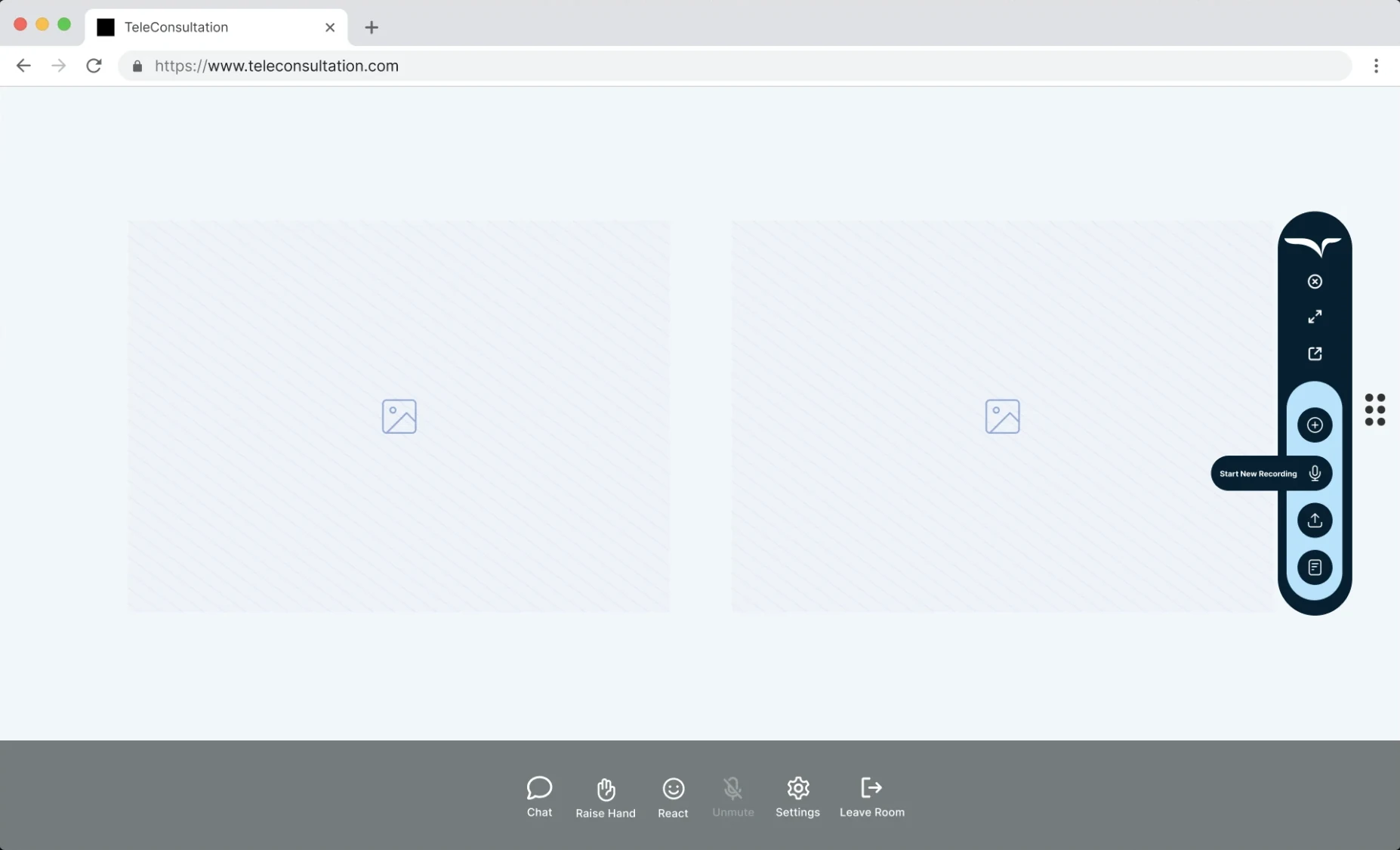
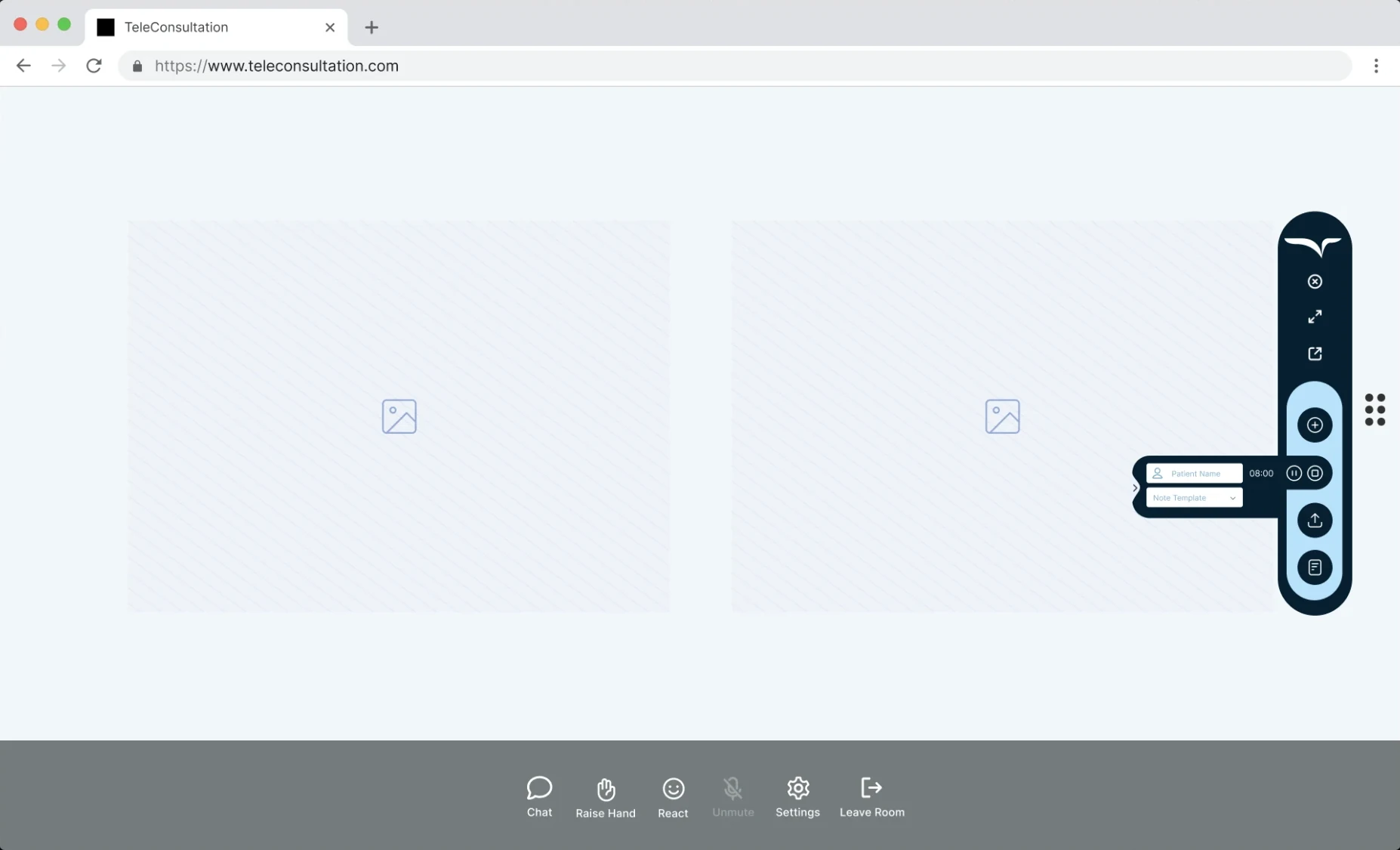
The toolbar sits on the screen edge, so it never covers the patient’s face or the EHR fields a clinician is typing into.
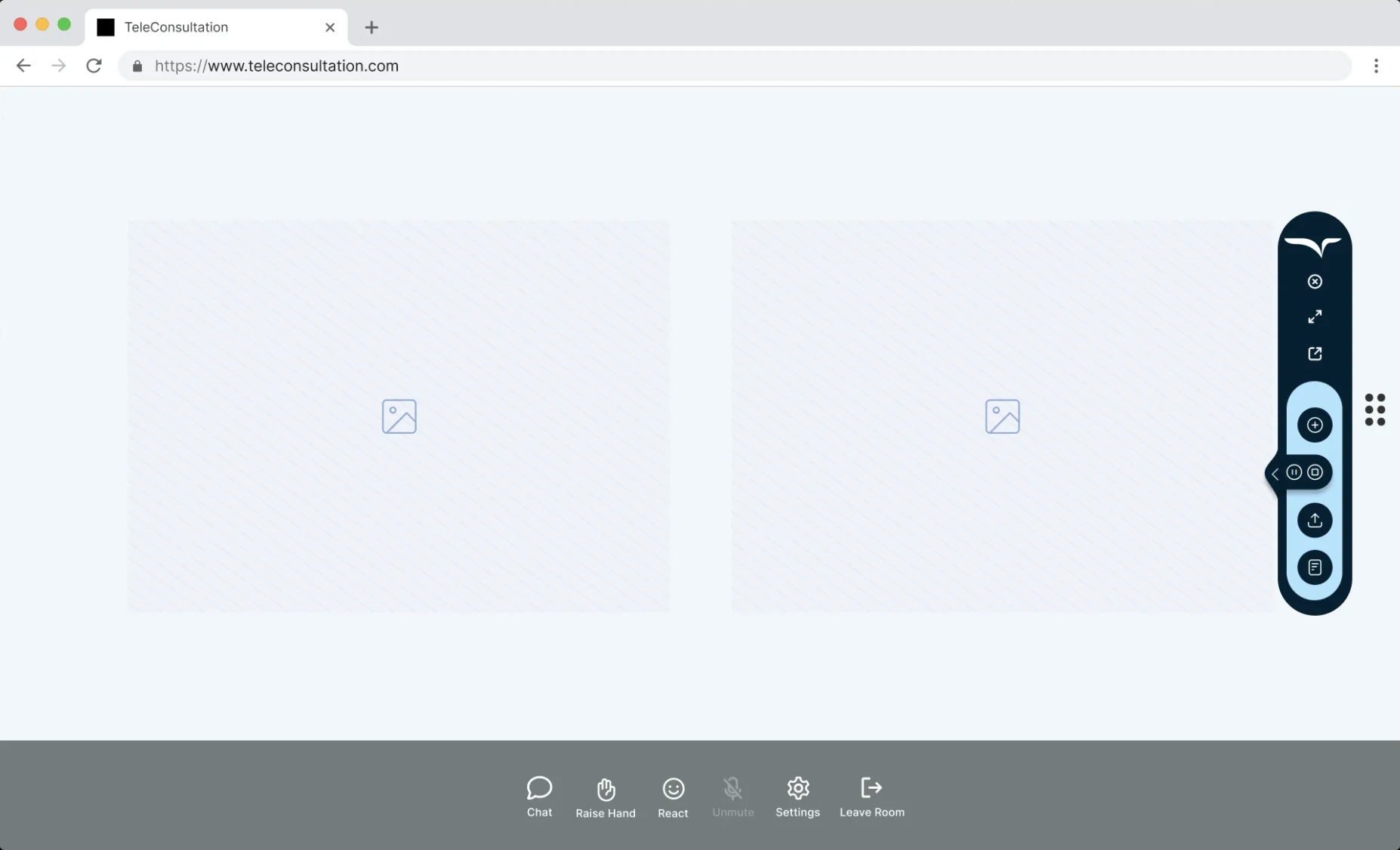
Once a session starts, controls shrink to a pause/stop pill. Patient name and note template appear only when recording, and notes only when they’re needed.
One overlay works across telehealth platforms and EHRs, so there’s nothing new for clinics to integrate or learn.
Copy the full note for EHRs with one field, or one SOAP section at a time for EHRs that split the note, all without leaving the EHR tab.
Process & outcomes
Placeholder: discovery and research, such as clinician interviews, the workflows you observed, and the insights that shaped the toolbar.
Placeholder: outcomes, such as time saved per visit, adoption, ratings or client feedback.
Have a product like this?