Guide, hands-free
Tell operators what to do next, and when, without them taking off their gloves.
Industry 4.0 · Manufacturing software
LOCKTIME is REL Inc.’s integrated process control and quality management system. It takes paperless, scanner-guided control to manual non-destructive testing and surface finishing lines, and its sibling, LOCKTIME Coho, brings predictive motion control to fully automated dip lines. We designed LOCKTIME’s human-machine interface, across the tablet and the line-side TV.
The problem
On manual chemical processing lines, operators in full protective gear were setting individual egg timers and writing step times onto paper process sheets. Quality records depended on handwriting, and a missed step was only found after the fact.
Automated lines had the opposite problem: legacy controls ran fixed sequences, took hours to add a new recipe, and needed external software to see any data at all.
LOCKTIME had to do four things on the factory floor:
Tell operators what to do next, and when, without them taking off their gloves.
Log every step, part and operator action automatically, with no paperwork.
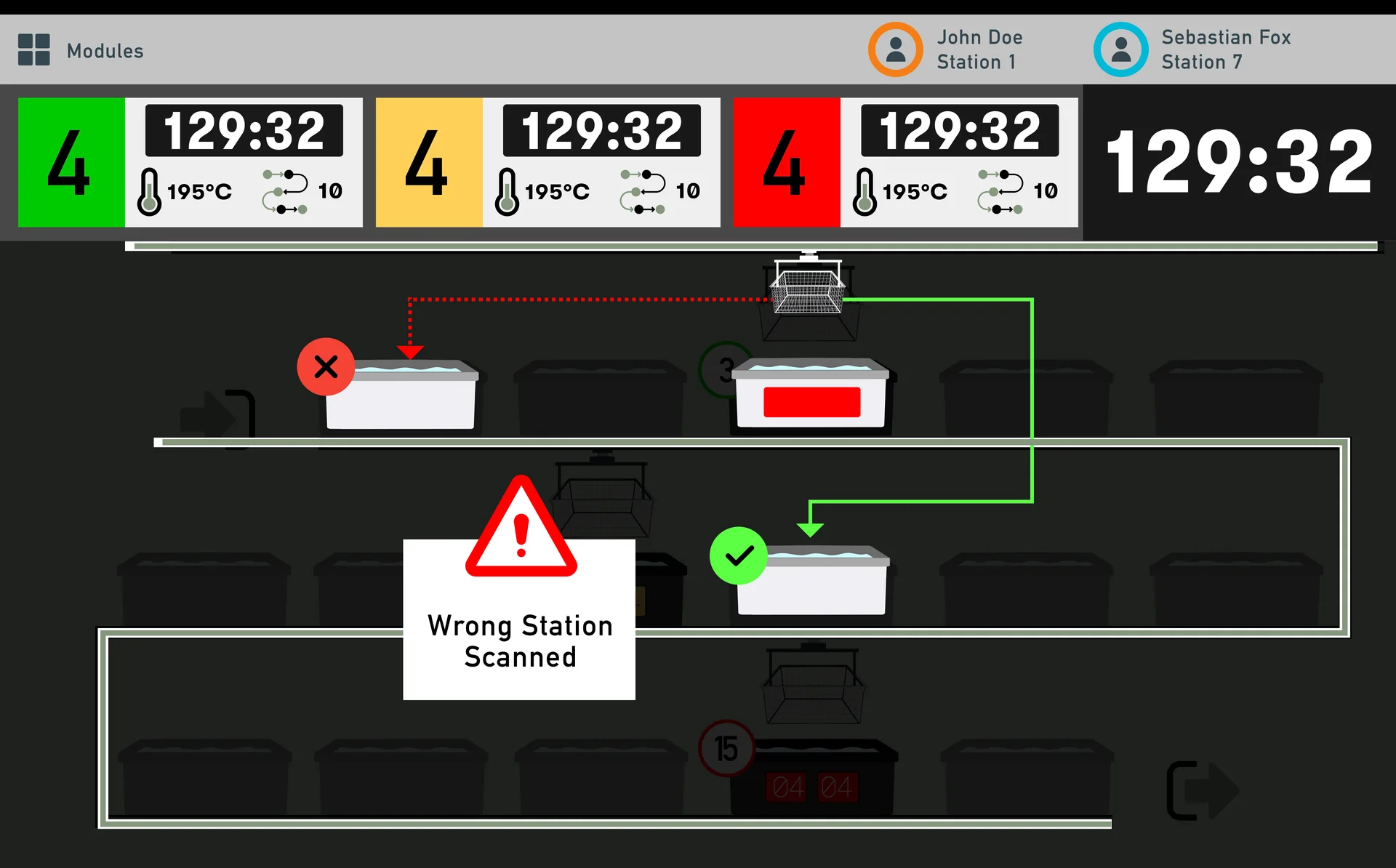
Flag a process infraction the moment it happens, not in the audit.
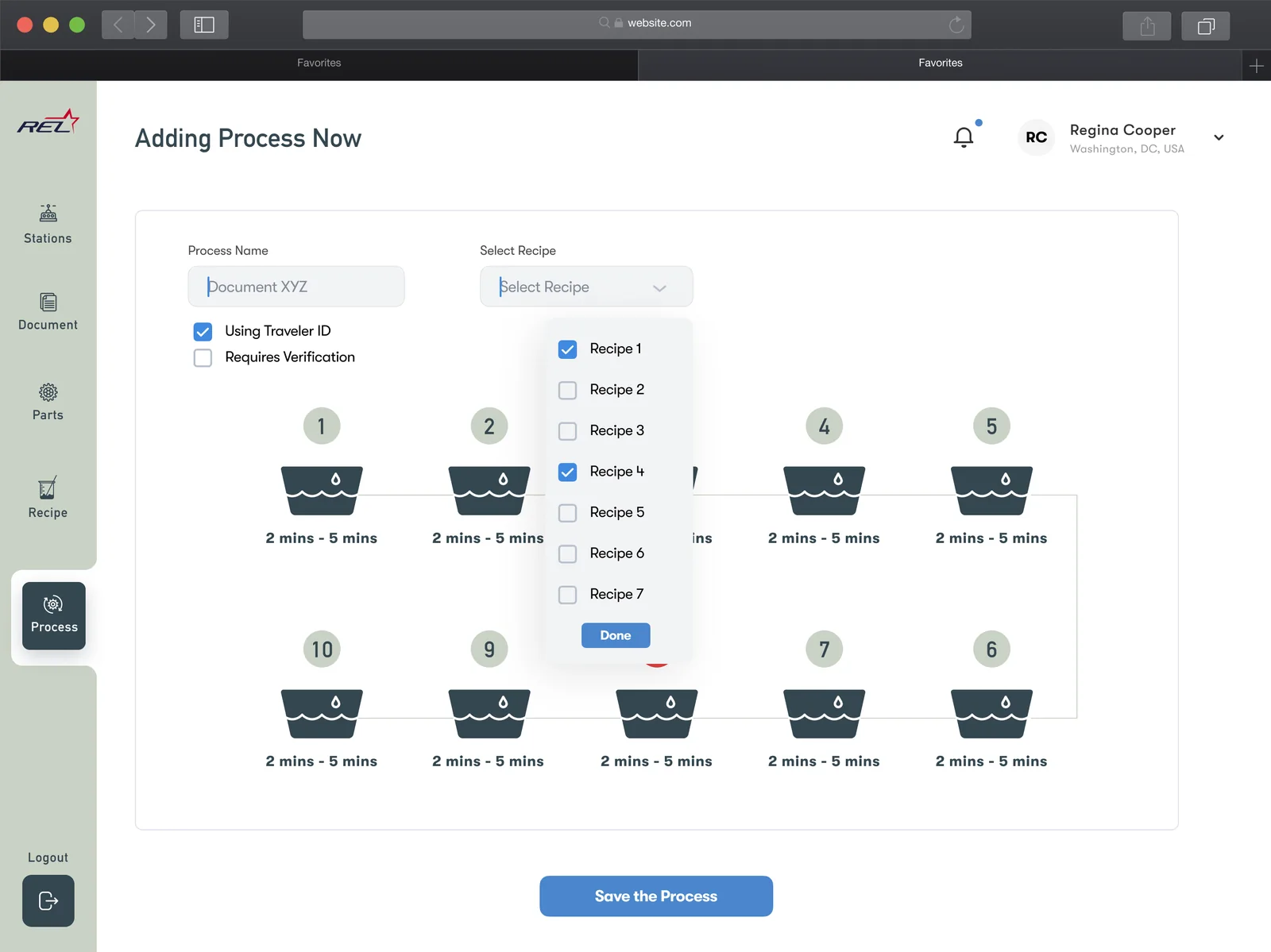
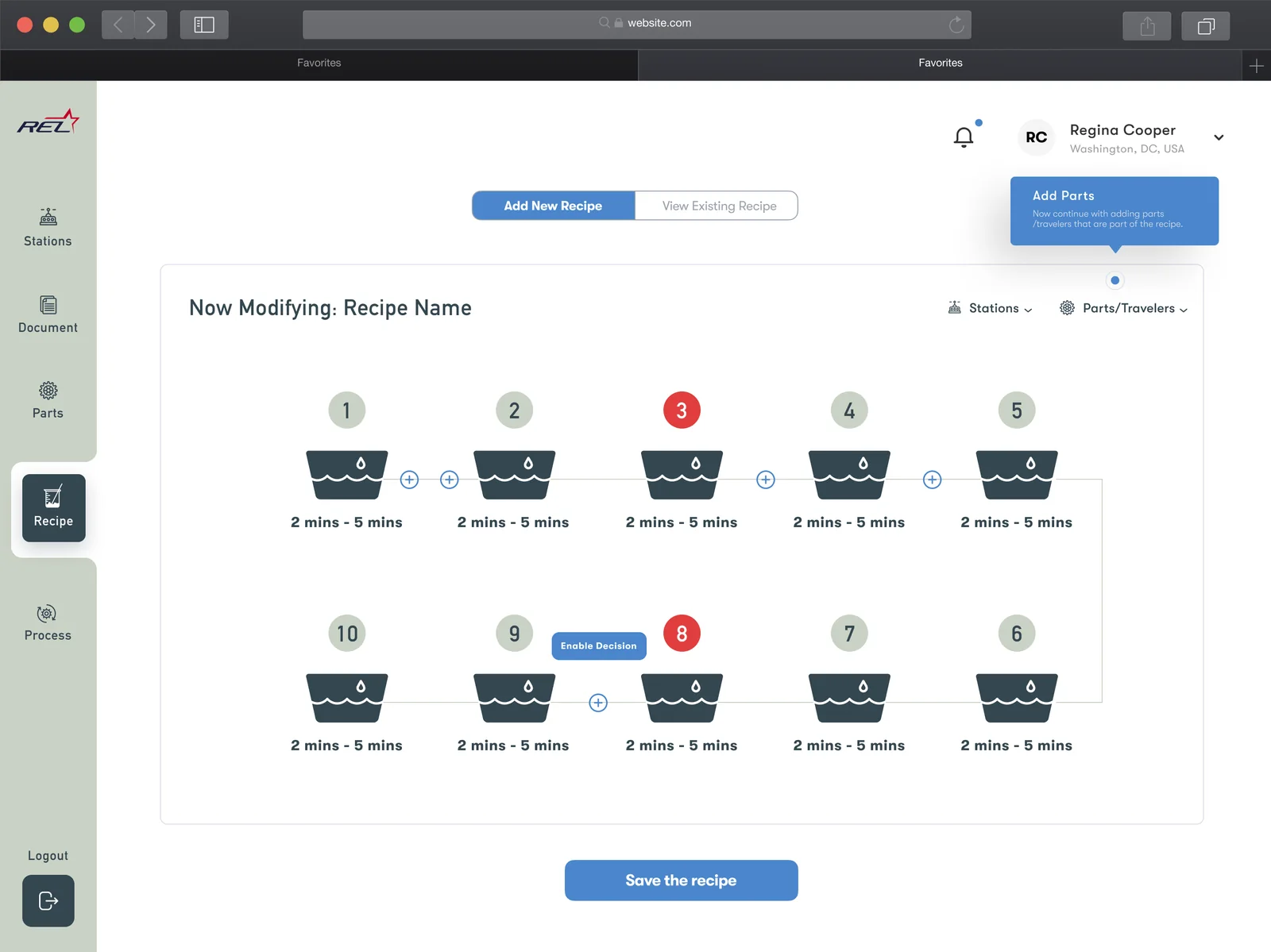
Let engineers add and update recipes from the UI, without new software.
LOCKTIME · Manual lines
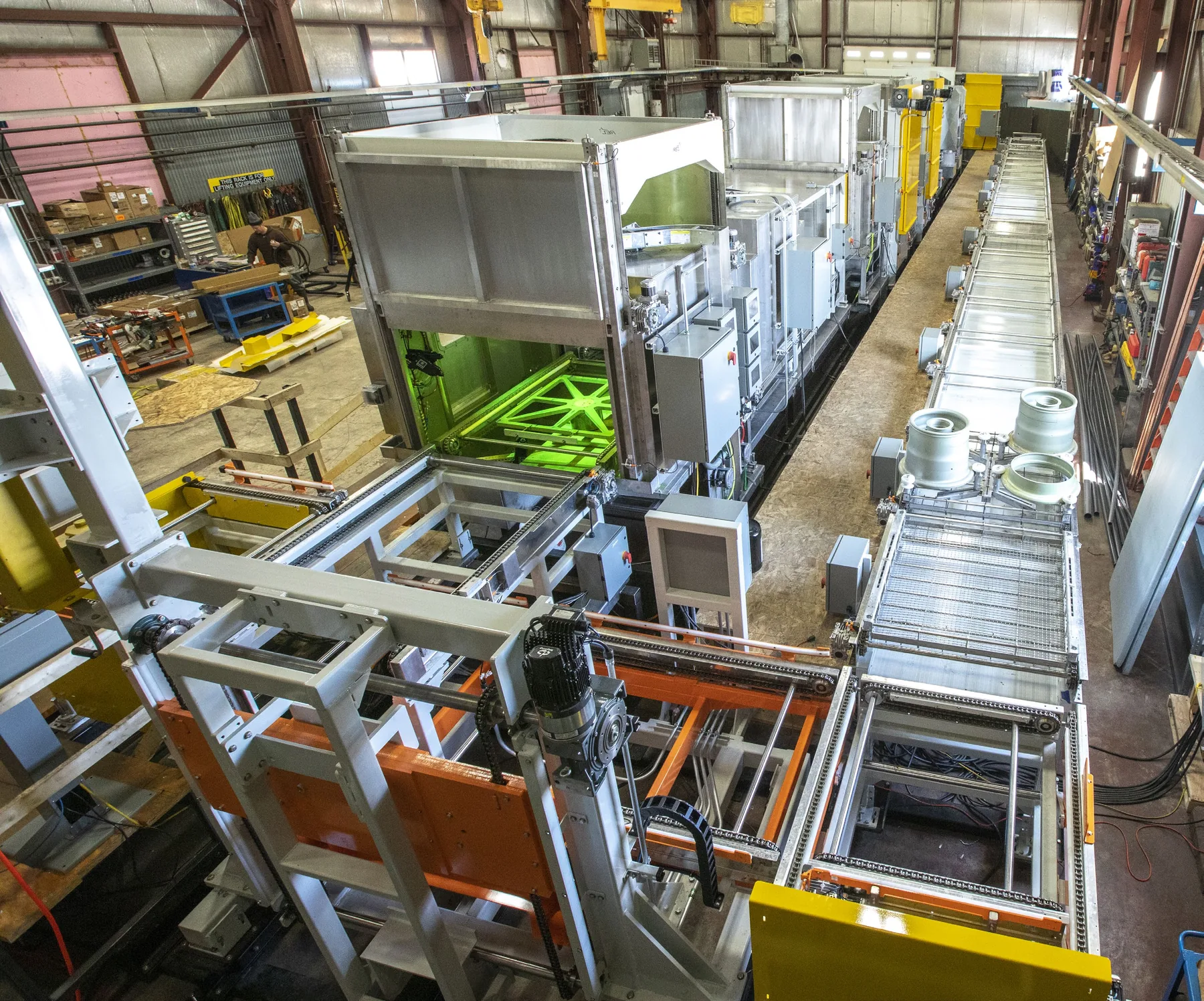
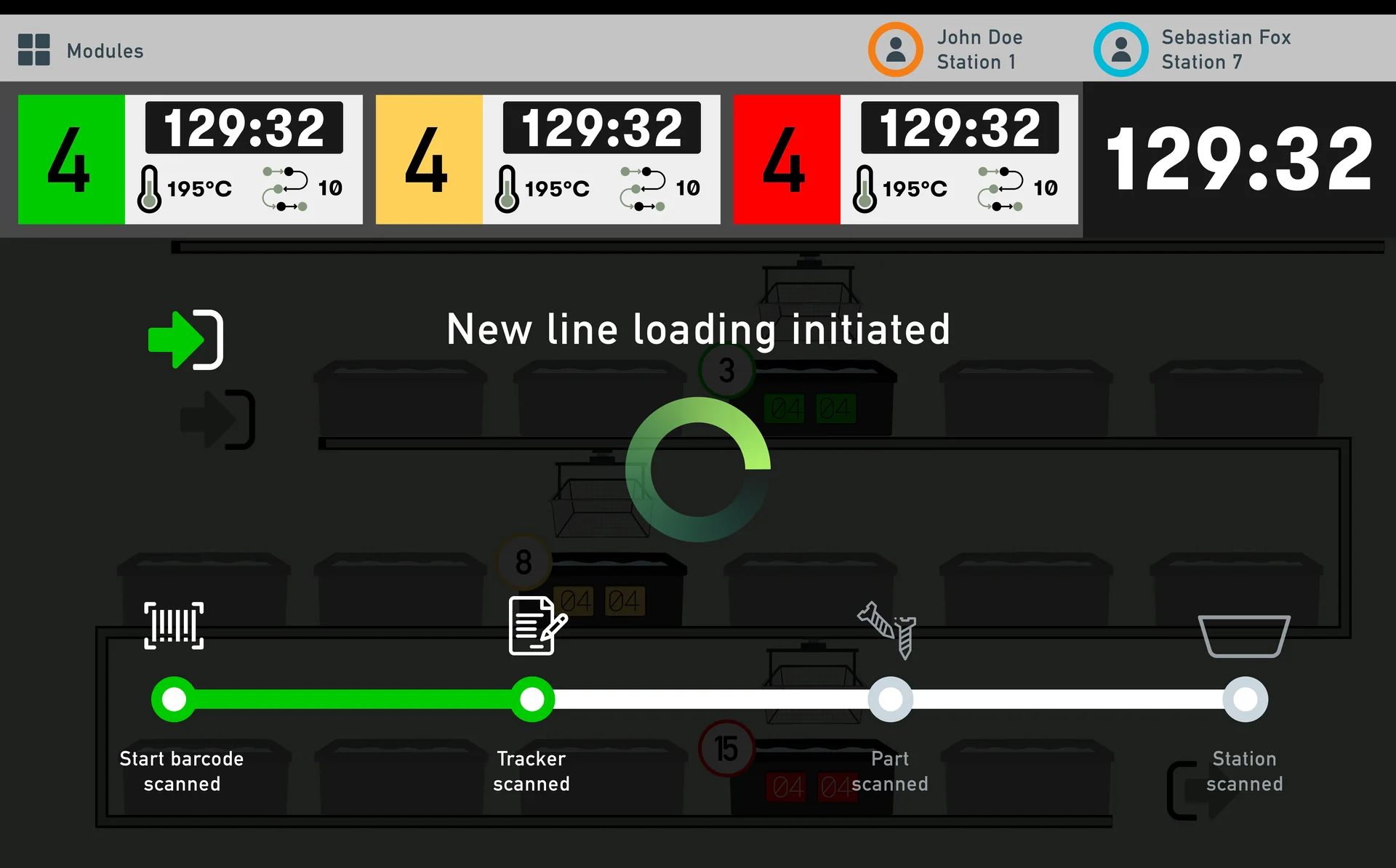
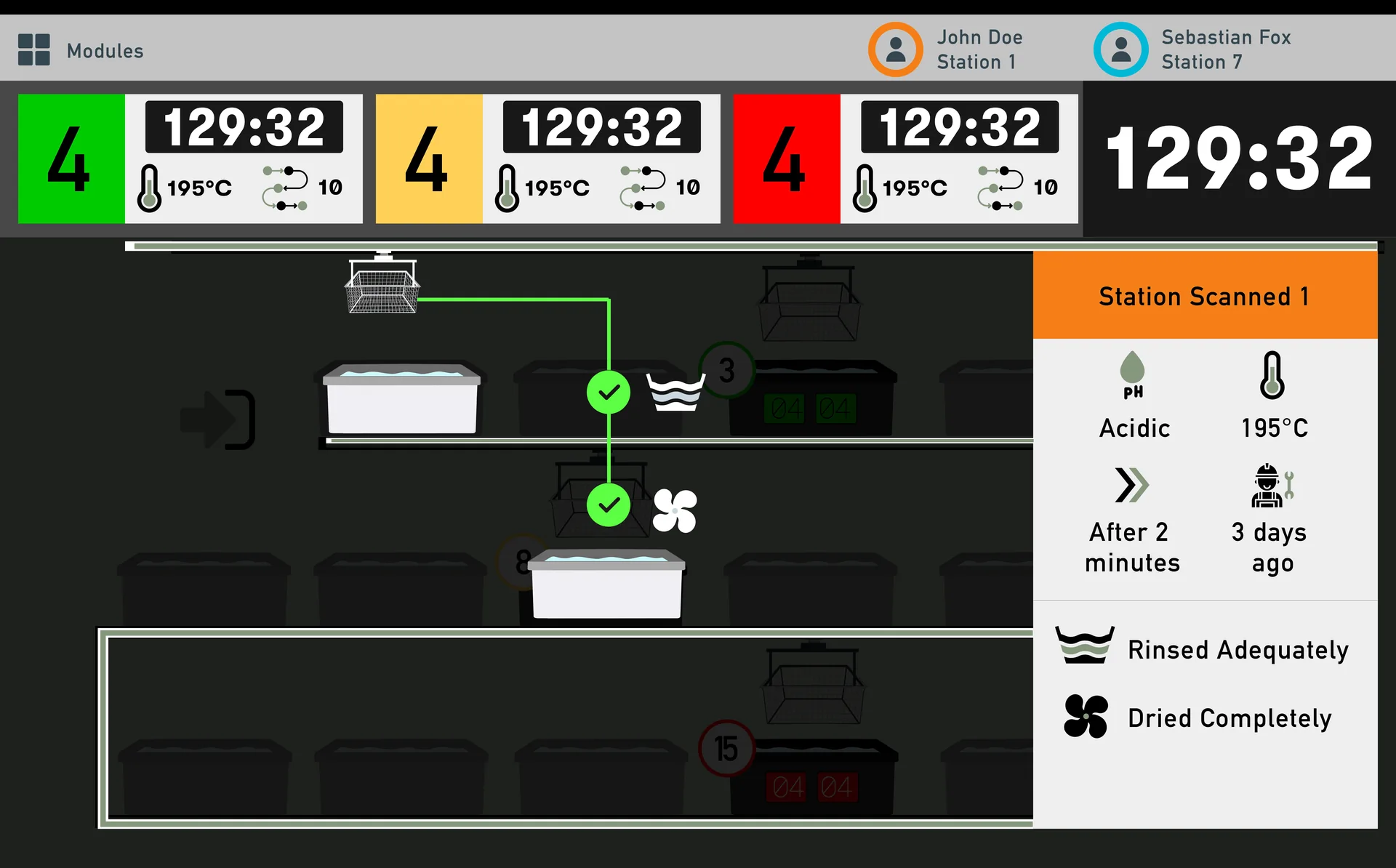
Operators check parts in and out of every process step with a handheld scanner, just like the one at the grocery store, and get audio and visual guidance along the way.
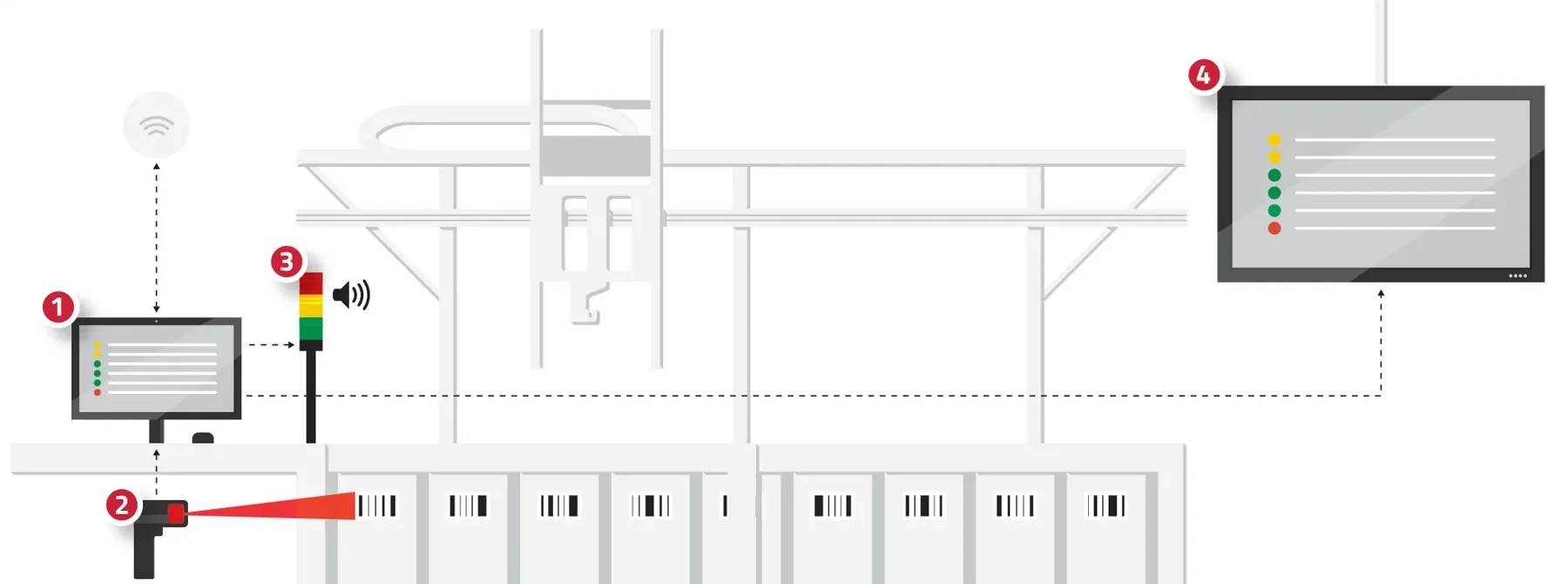
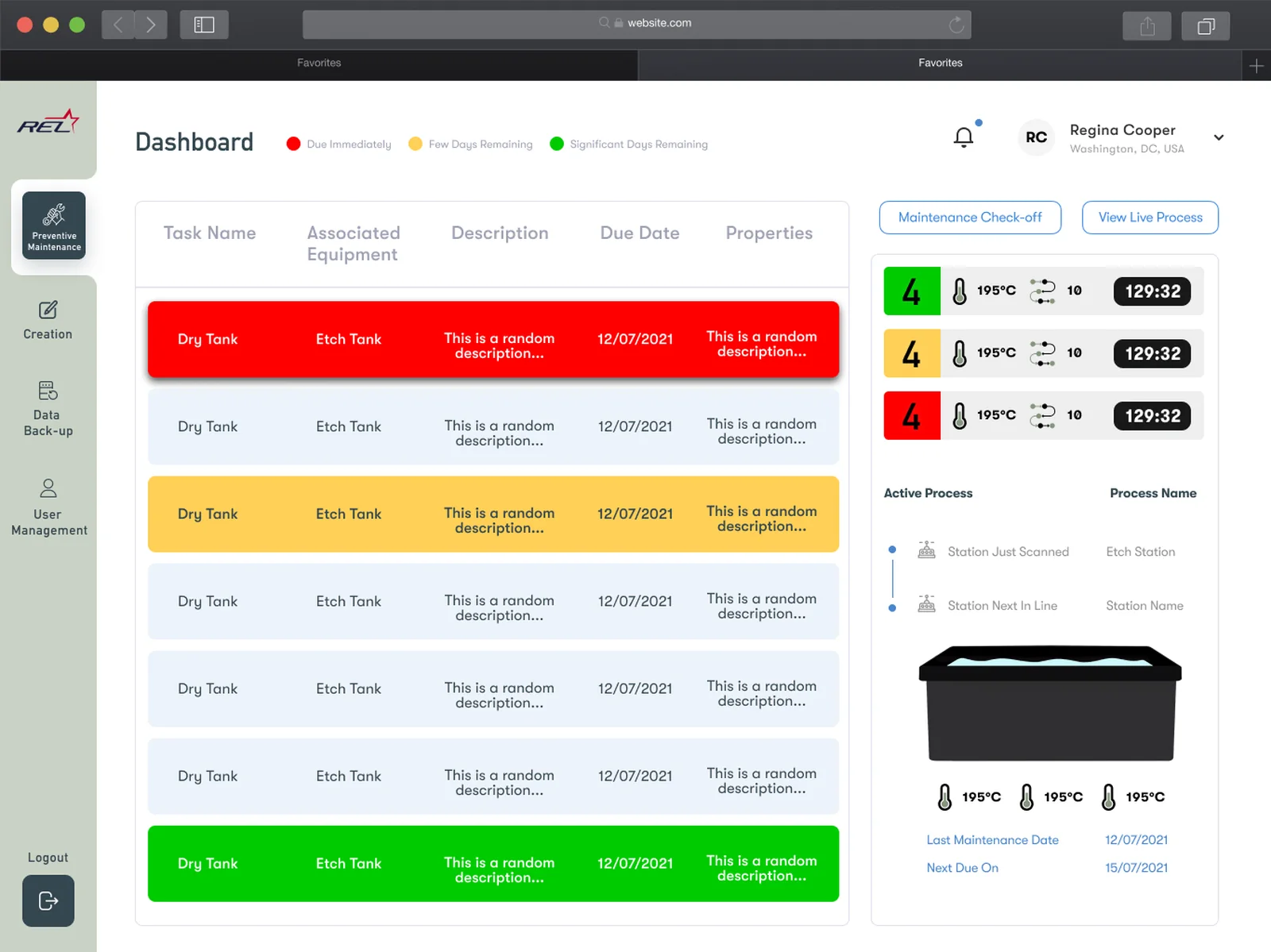
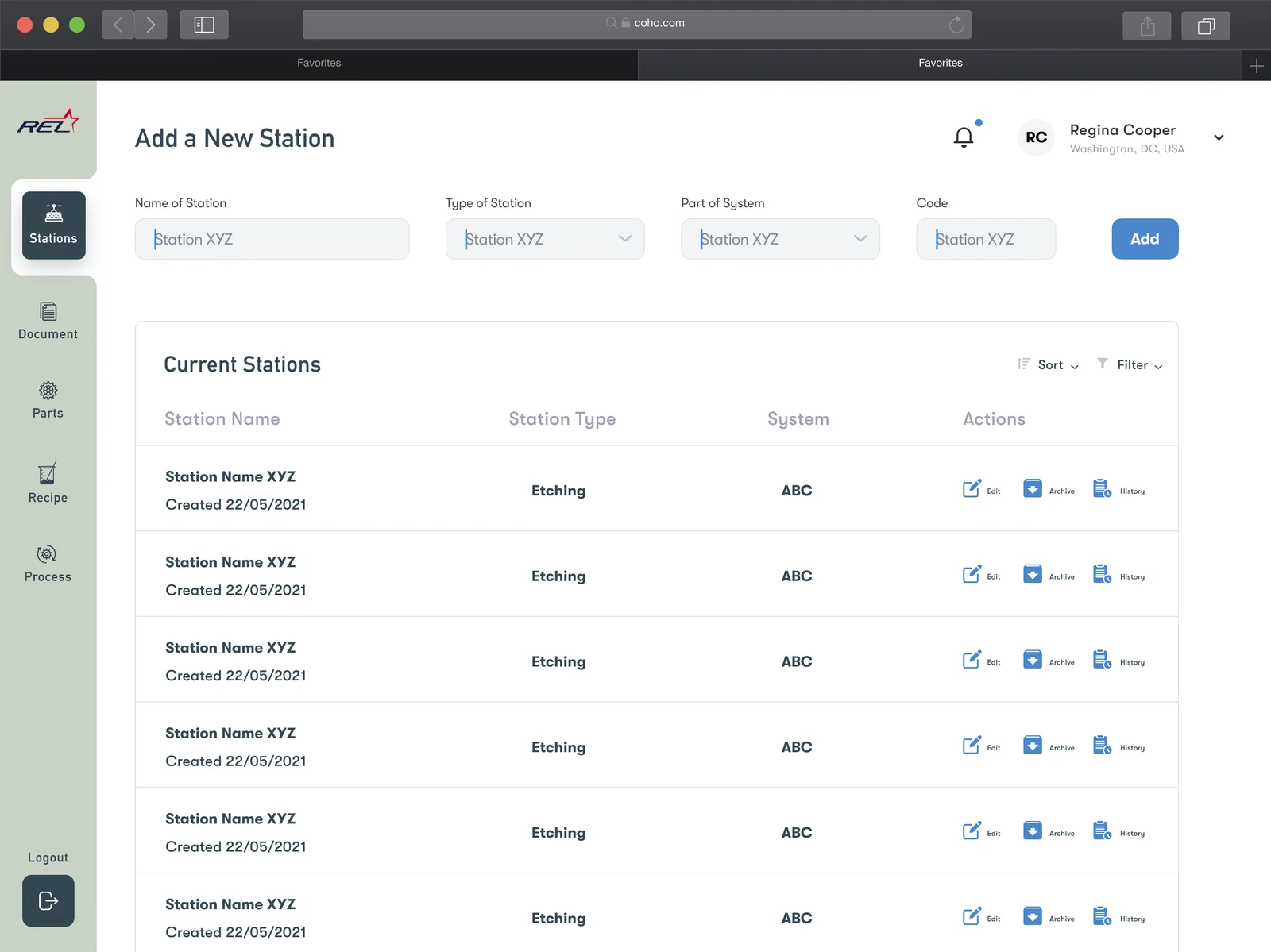
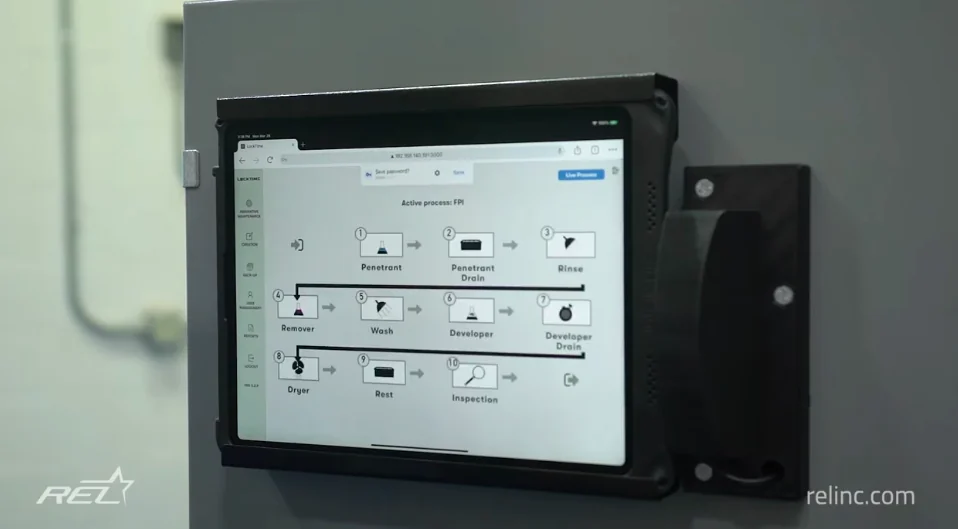
Starts a batch of parts into the line. Recipe creation, line status and quality data live here, and can be reached remotely. Individual logins control access and record who did what.
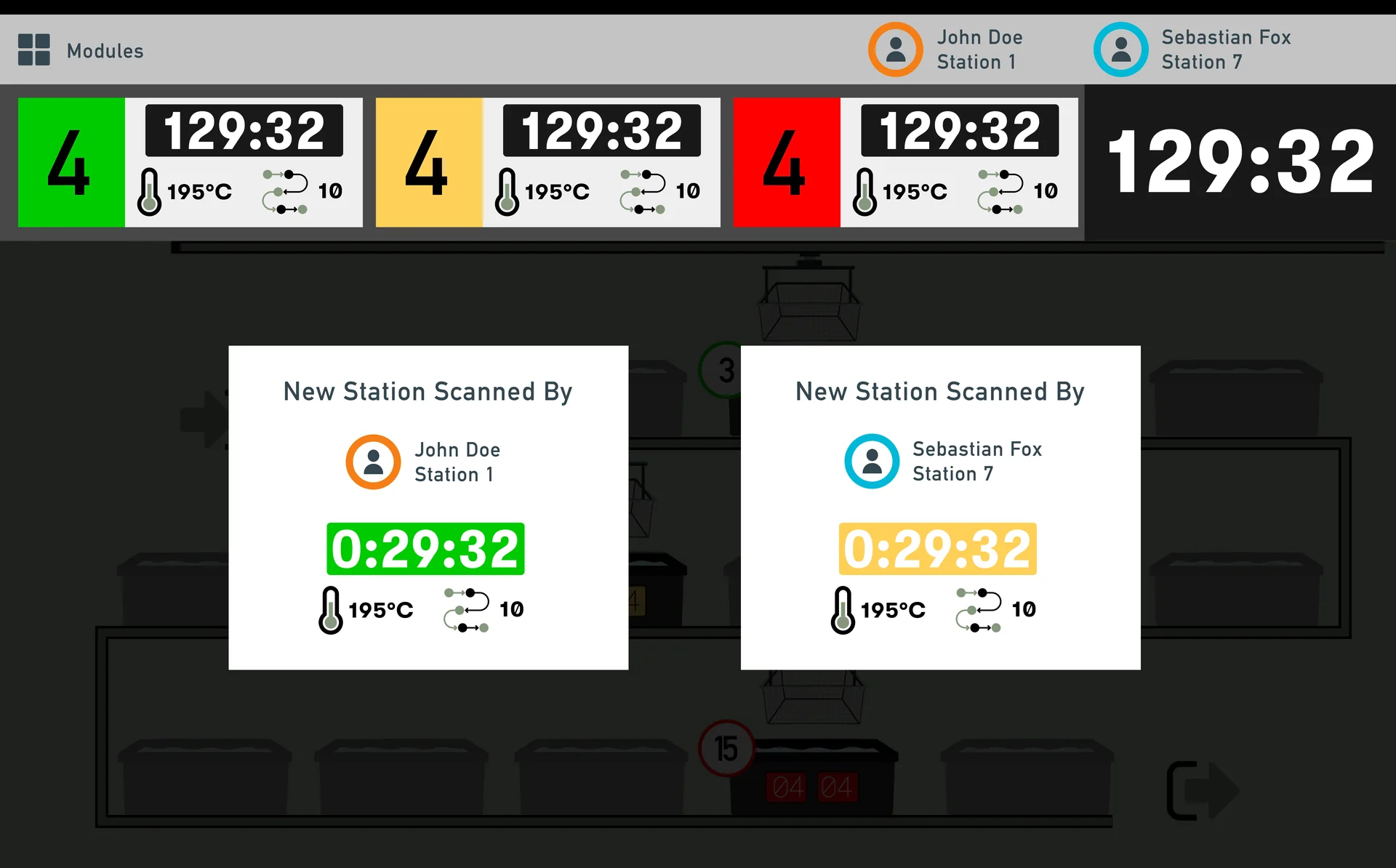
Holstered on the operator. As a part moves between steps, they scan the barcode on the tank or quality check station.
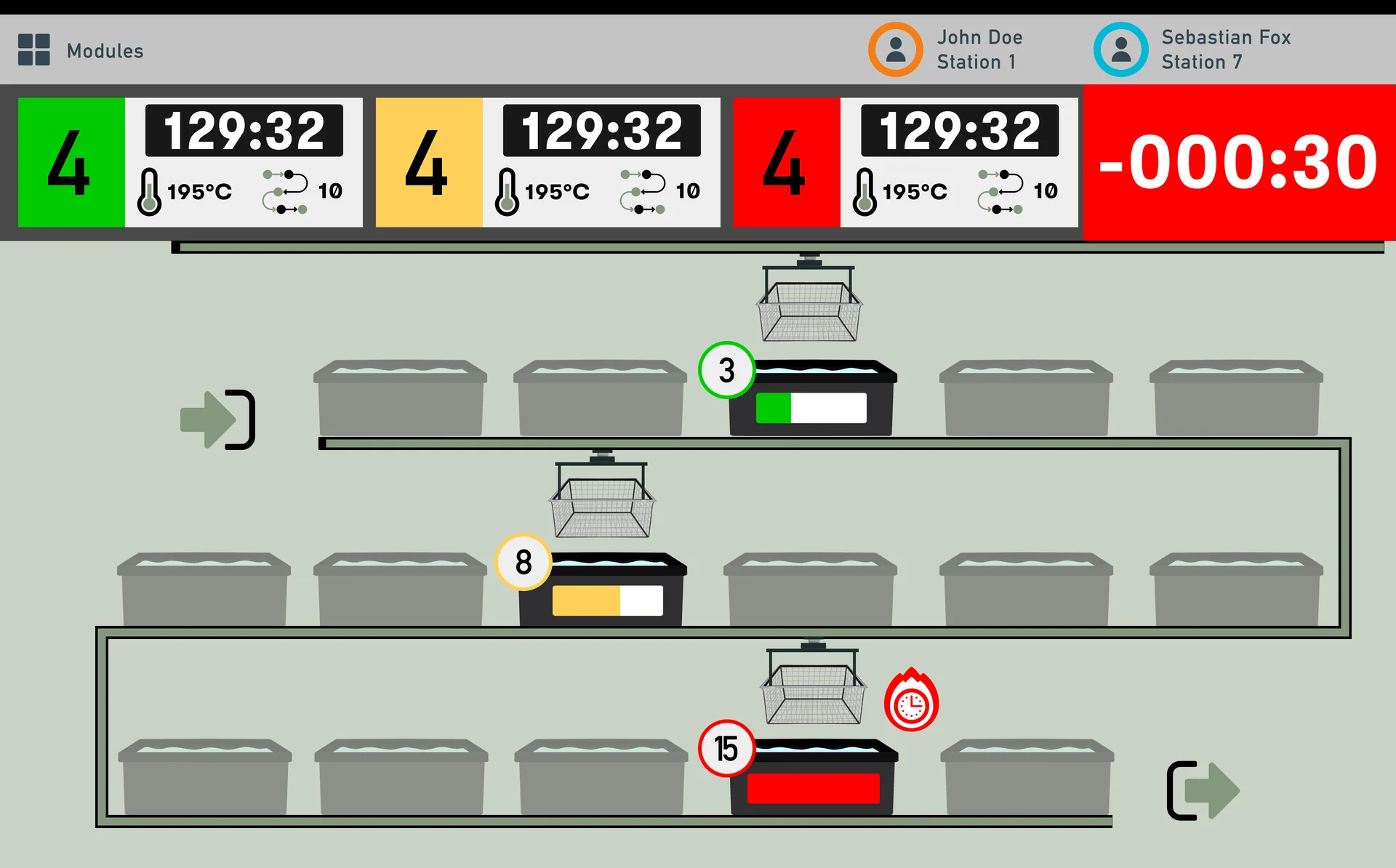
Quick audio and visual feedback that reads at a glance, even in PPE.
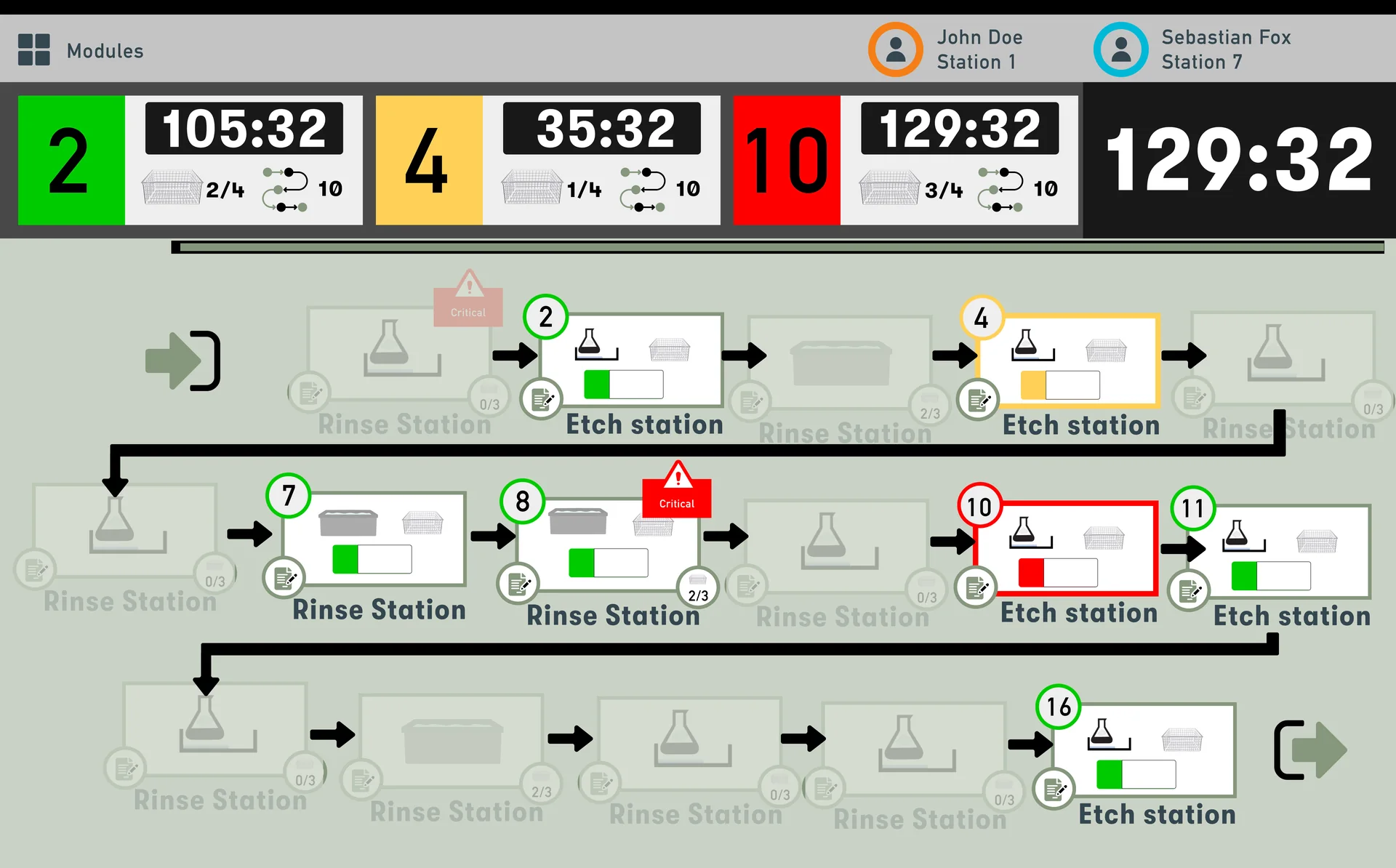
Red · action requiredYellow · action soonGreen · no action needed
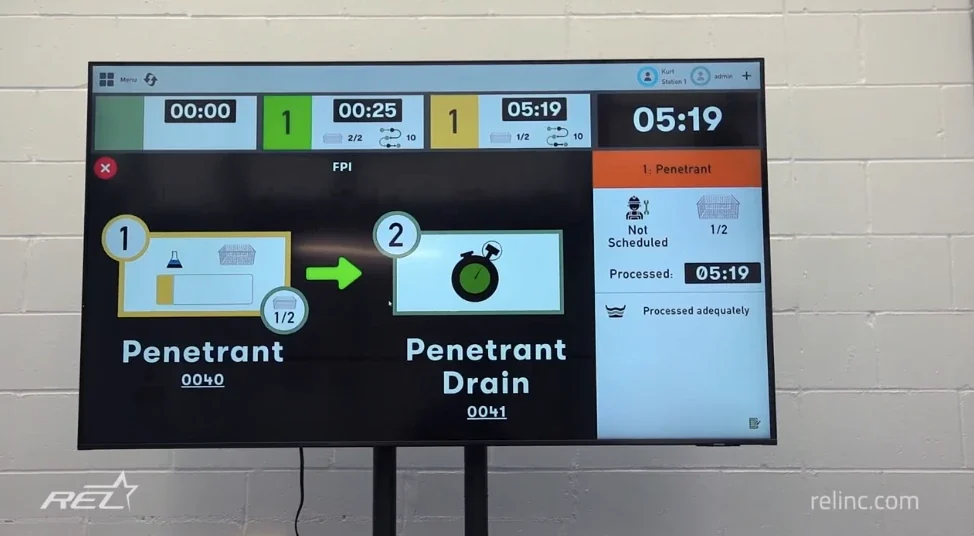
Shows the line status, the parts in the line, time left on each process, and what comes next.
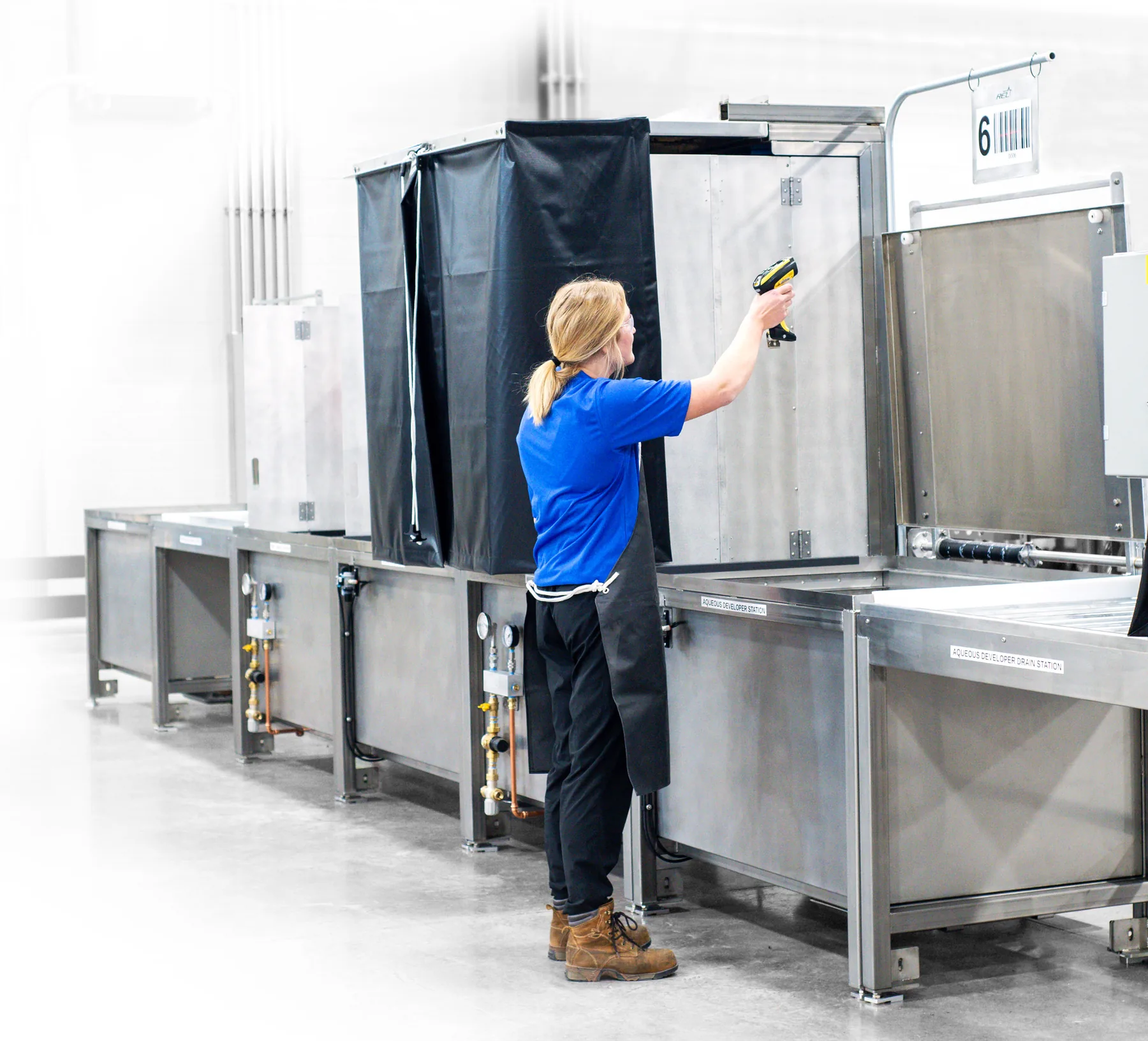
LOCKTIME will
LOCKTIME Coho · Automated lines
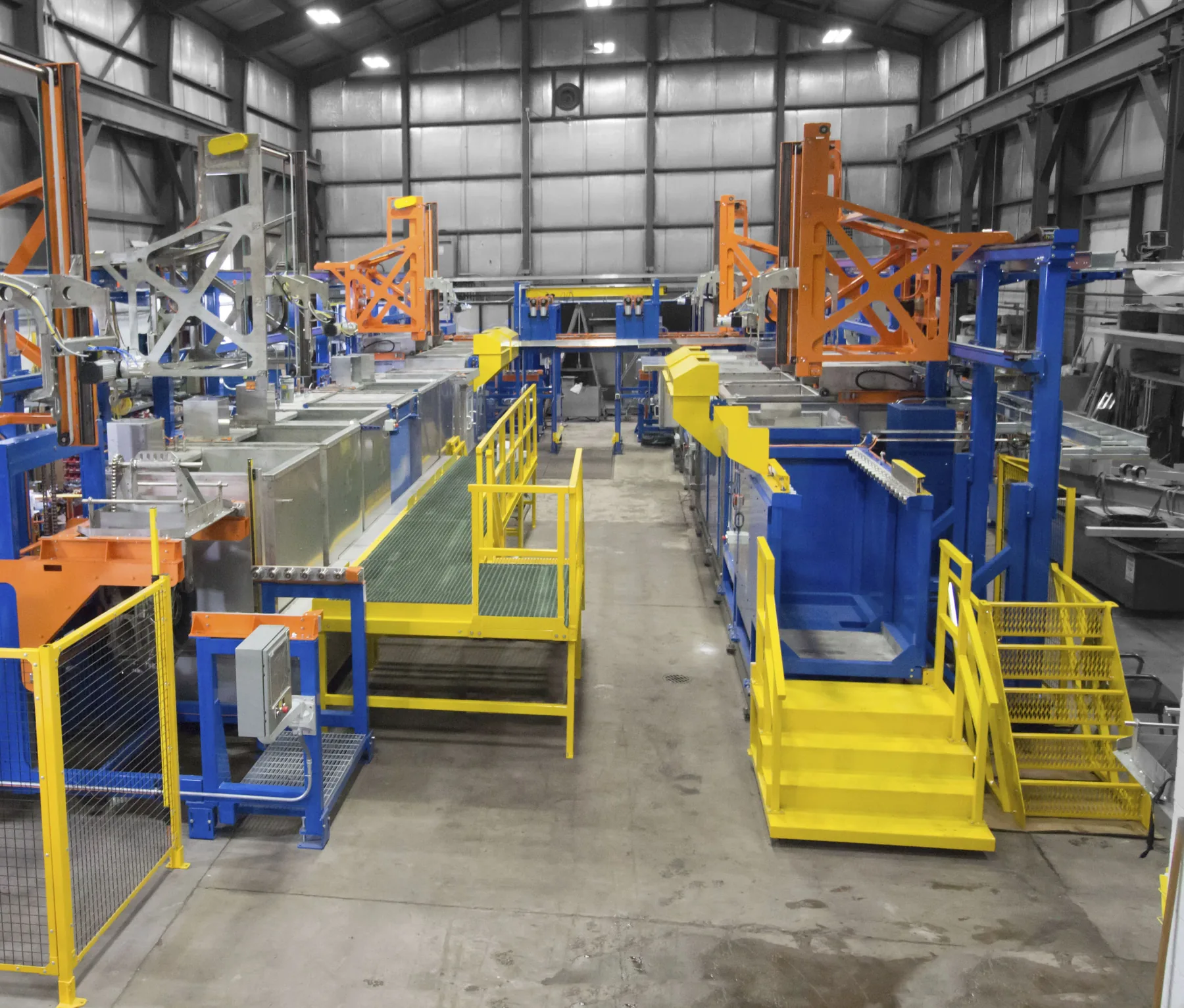
LOCKTIME Coho is a modular, PC and PLC-based control system for automated dip lines and FPI lines. Every time a carrier is added to the line, it considers millions of potential control plans and picks the one that best meets the recipe’s constraints, continuously optimising throughput.
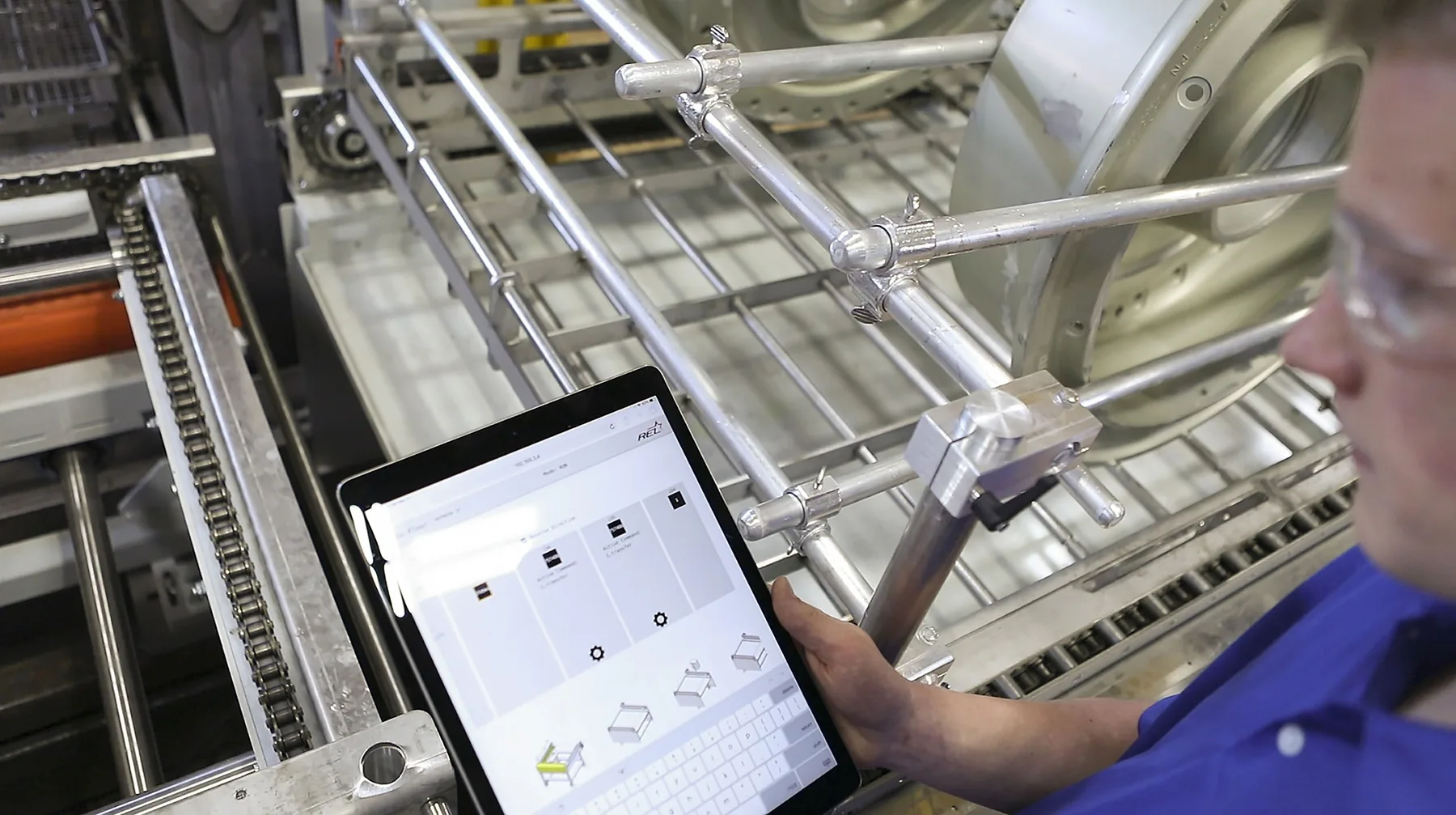
It’s built data first: every input to the line is logged, and the same interface runs on a traditional HMI, a PC or an iPad, so the line can be run or jogged wirelessly.
The name comes from the Coho salmon, a local favourite on the shores of Lake Superior where the team is based.
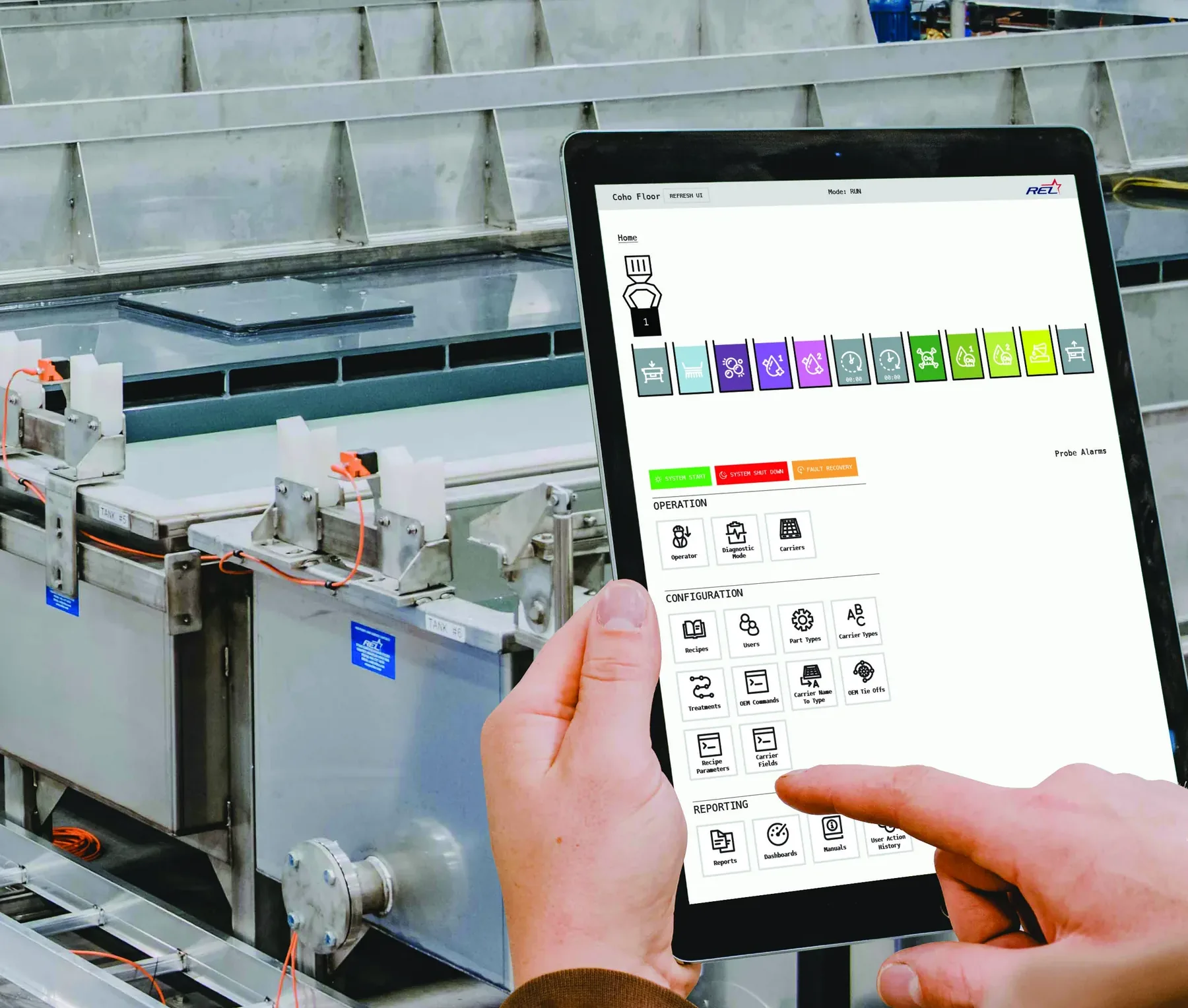
Live optimisation of motion planning for automated hoists, with random loading and shuttle and tank cover control.
Recipes adjust automatically to tank conditions, and can be updated on the fly.
Parts accepted or rejected automatically per recipe, with sensor data and process time stored for each one.
Seamless restart after a power outage or emergency stop, with no collisions or controls locking up.
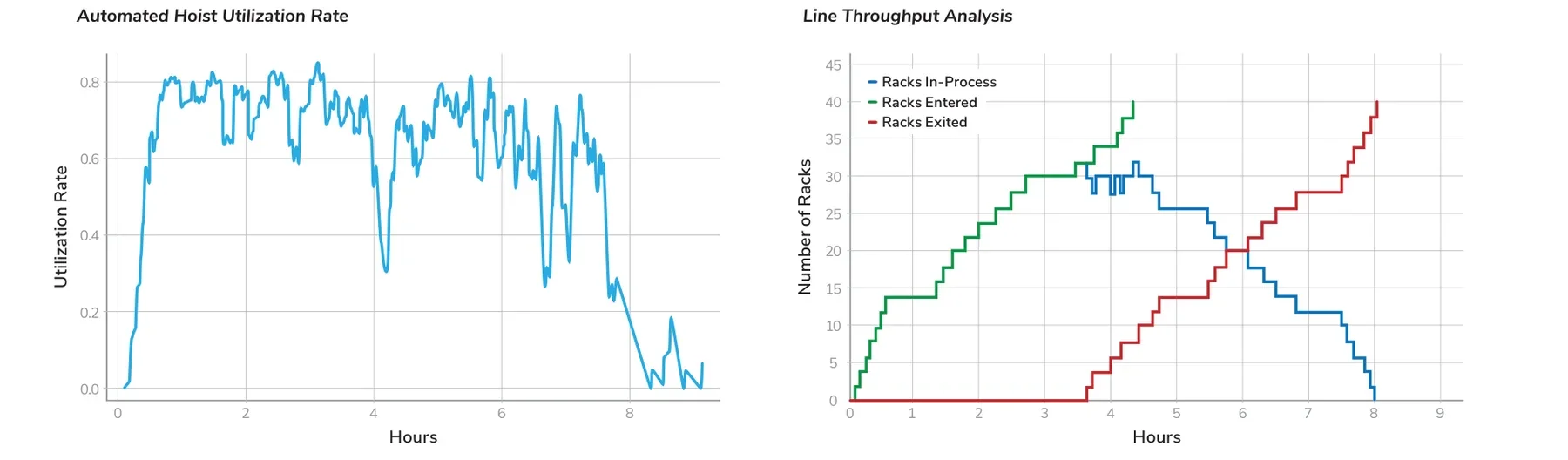
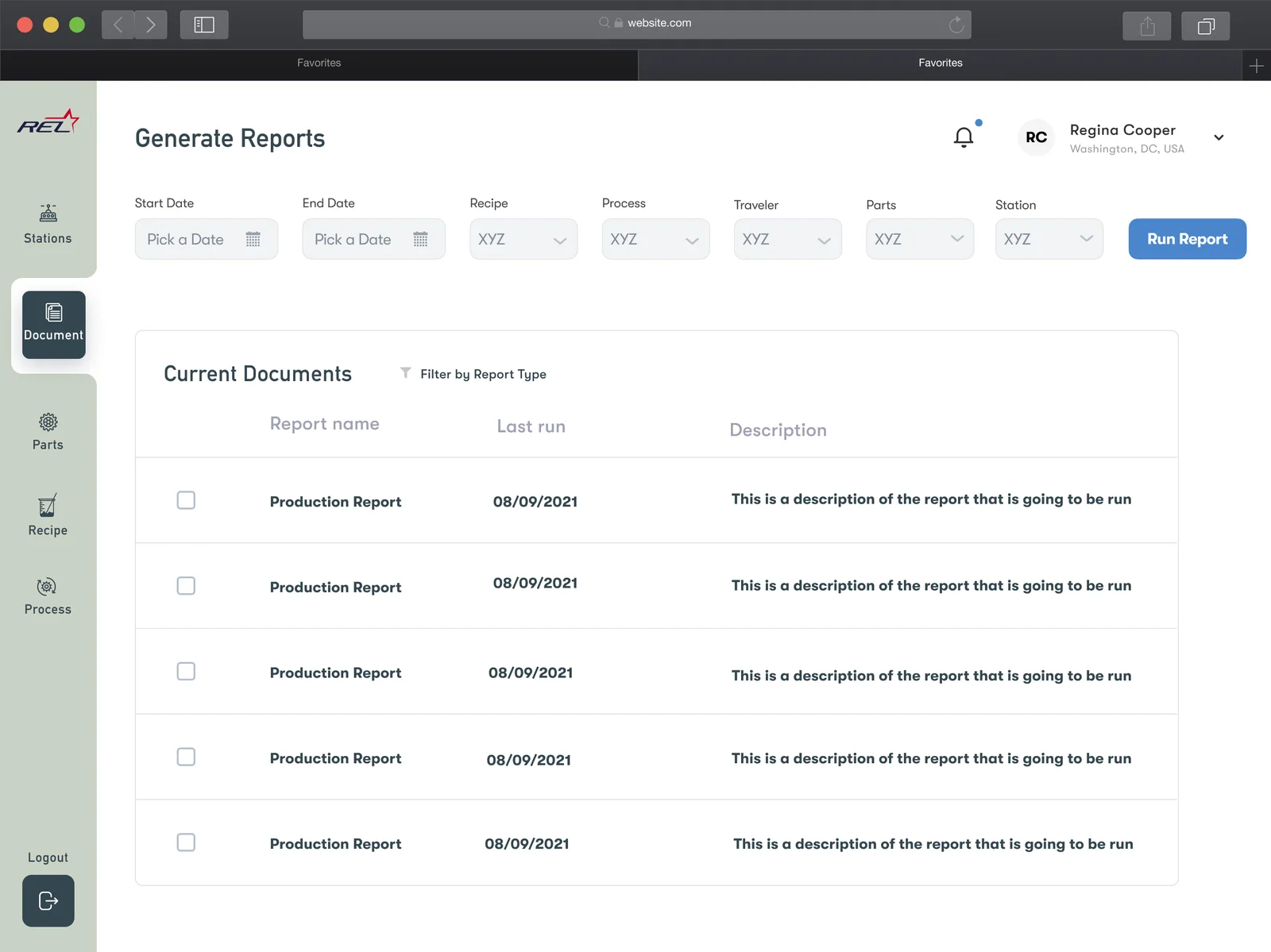
Pull quality reports, view throughput and sensor dashboards, and update recipes from anywhere on the floor.
Real-time and historical trends, custom sensor alerts, and a visual tool that pinpoints problem devices.
LOCKTIME Coho vs. legacy control
| Capability | LOCKTIME Coho | Legacy control |
|---|---|---|
| Run multiple recipes at once | Yes | Limited |
| Optimised motion control | Yes | No |
| Add a recipe through the HMI | Yes | Parameters only |
| Time to add a completely new recipe | Seconds | Hours |
| Time to update the UI | 1 day | More than 1 day |
| Line throughput | Continuous optimisation | Standard |
| Data logging | Built in | External software |
| Data trending | In the UI | External software |
| Predictive throughput and motion control | Yes | No |
| Automatic quality management | Yes | Possible |
| Start/stop robustness | System memory | Sensor-based |
| Predictive maintenance | Data trending visibility | External software |
Human-machine interface
We designed LOCKTIME’s human-machine interface: how operators and engineers see, control and respond to the line. It runs on two screens: a tablet HMI mounted at the line or carried by engineers, and a large TV above the tanks that the whole floor can read from a distance, even in full PPE.
HMI design principles
Audio and a three-colour stack light carry the most urgent information, so operators in full PPE never have to stop and read a screen.
A barcode on every tank and check point turns each action into a single scan, and every scan becomes a timestamped quality record.
Line-side HMI, office PC, iPad or a big screen above the line: one interface, so operators, engineers and managers share the same picture.
Individual and barcode logins with custom permissions, so the right people can change recipes and everyone’s actions are recorded.
Rollout
Setup is designed so the customer’s own team can run the system on day one: they build it alongside REL during installation.
Building for the shop floor?