Get set up
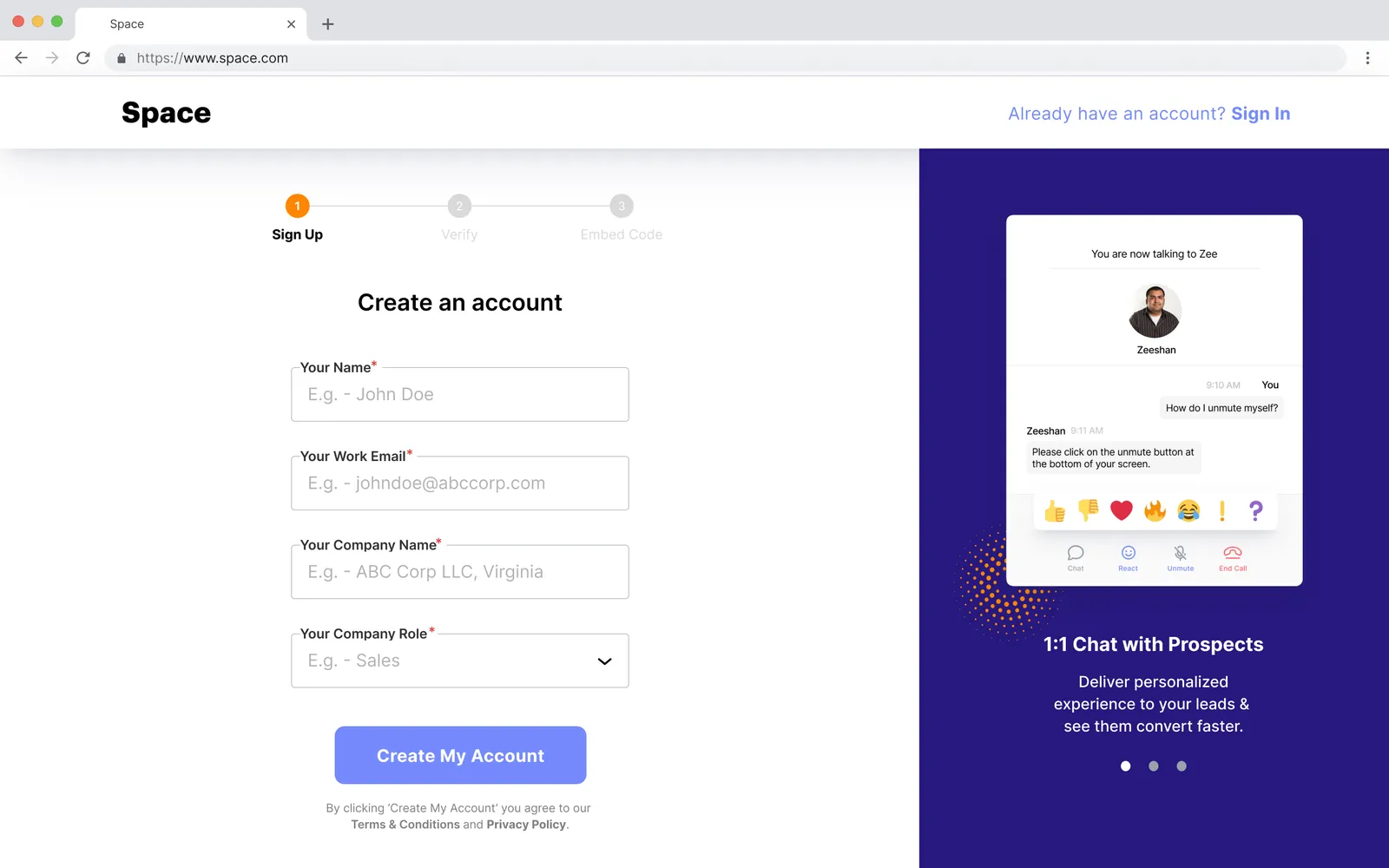
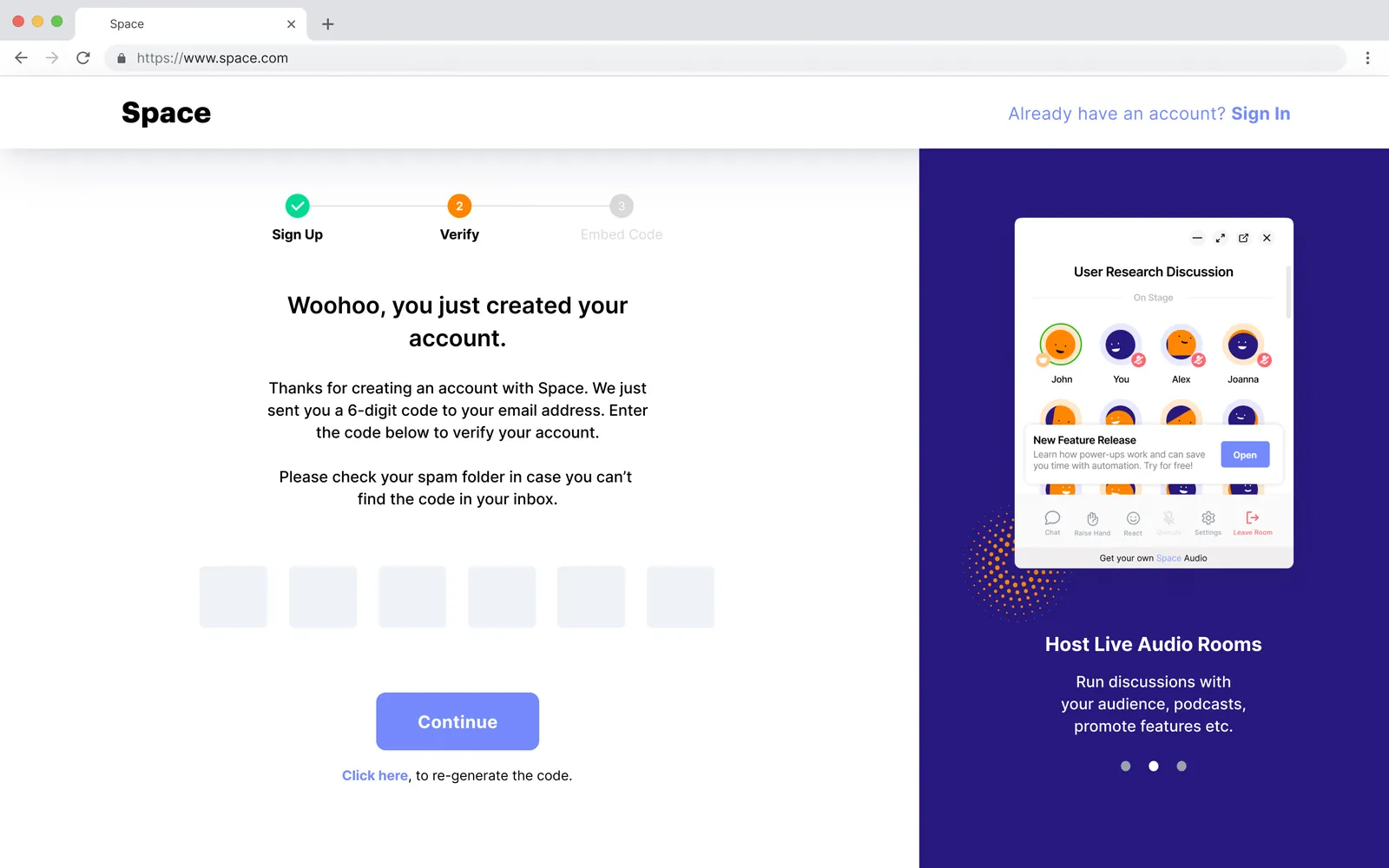
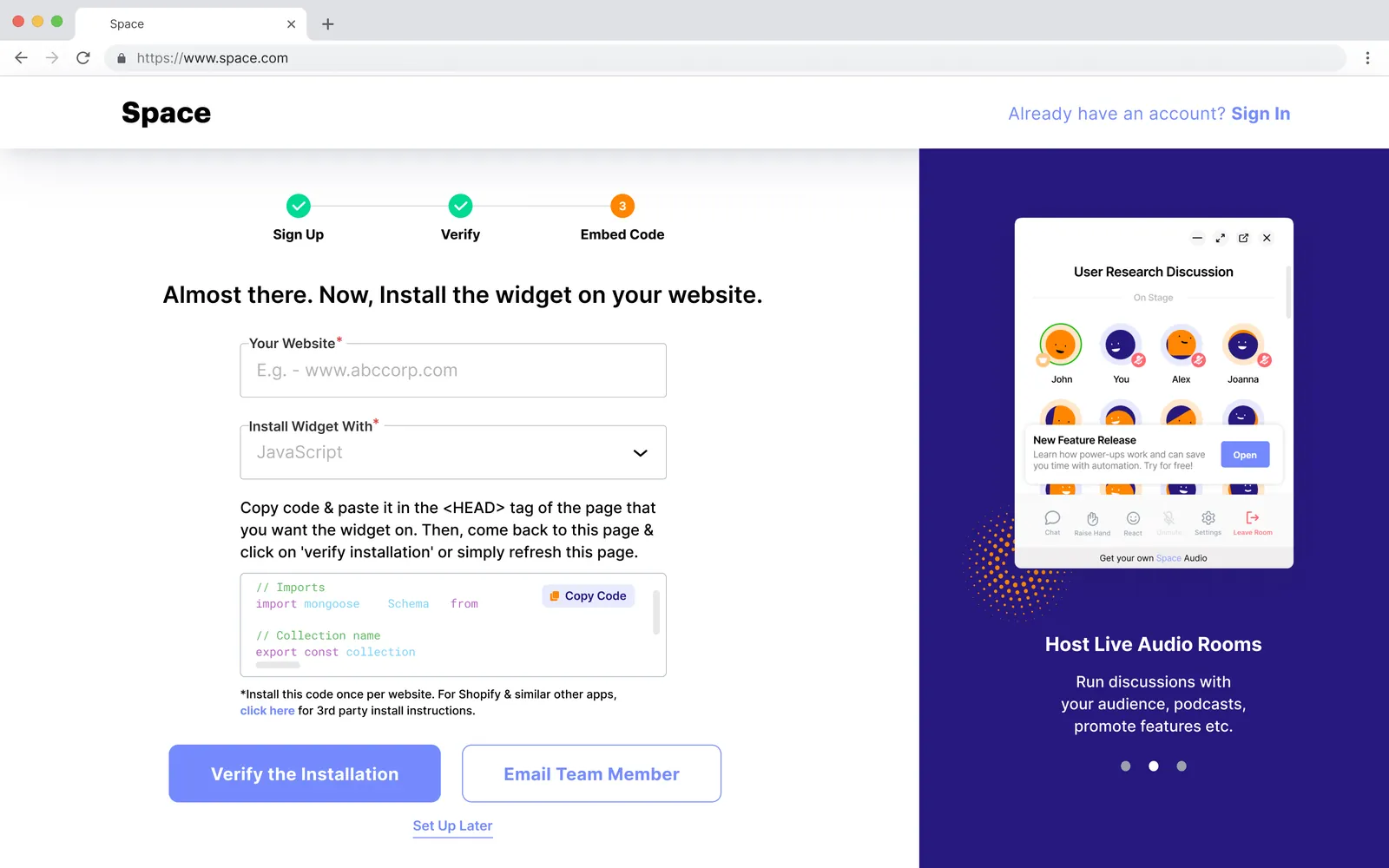
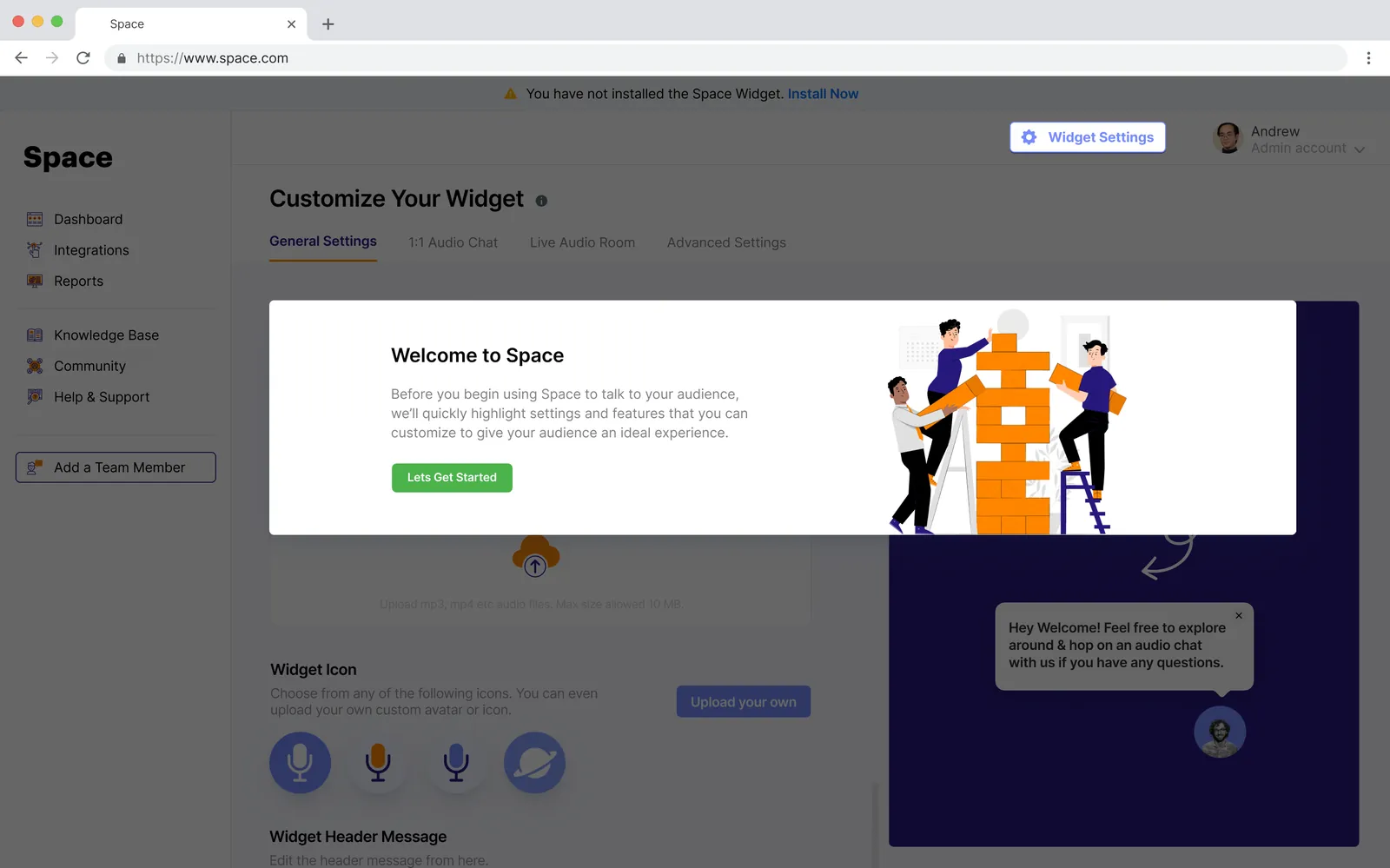
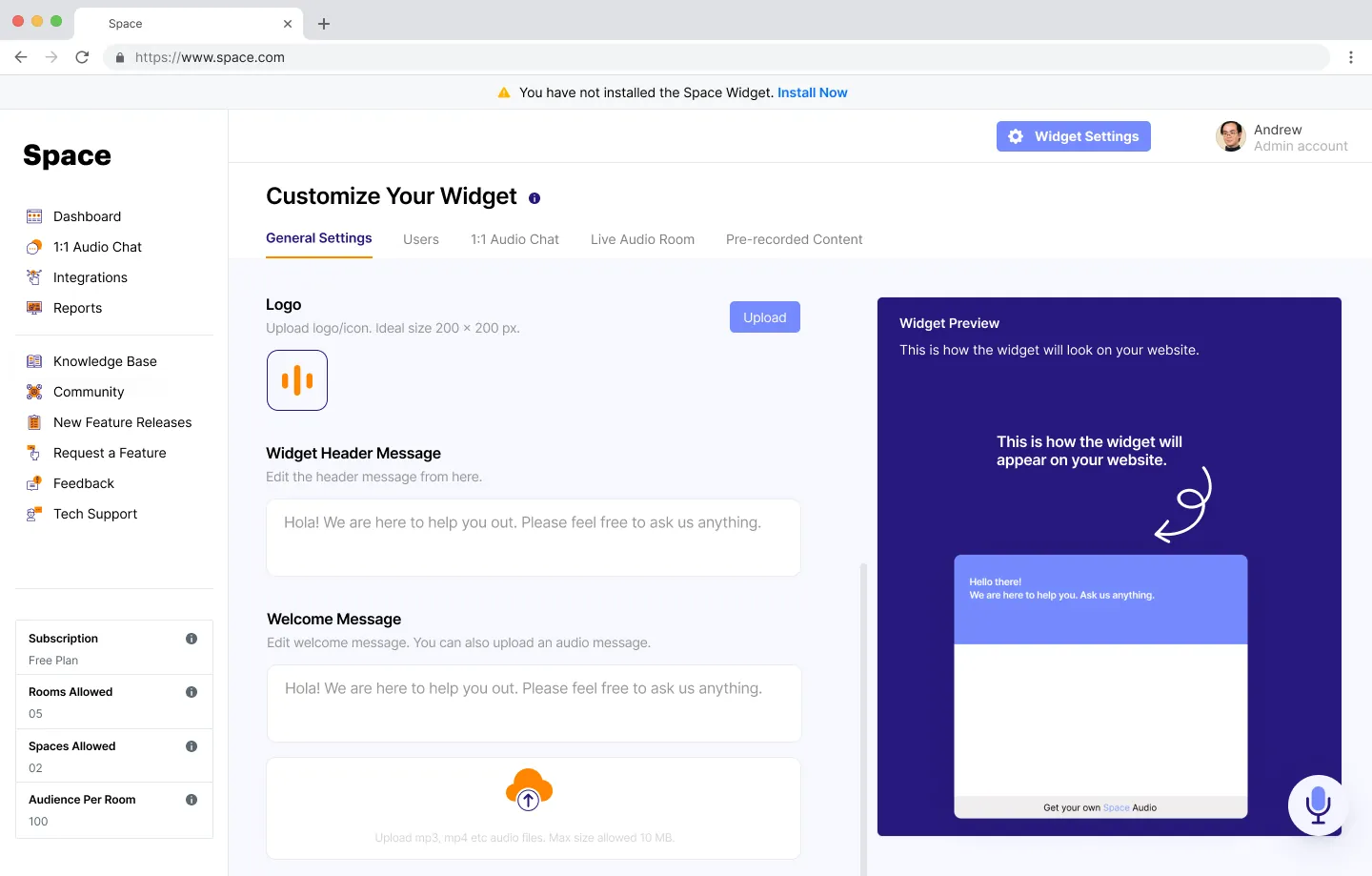
Create an account, install the widget with one snippet and switch features on.
Product design · B2B audio SaaS
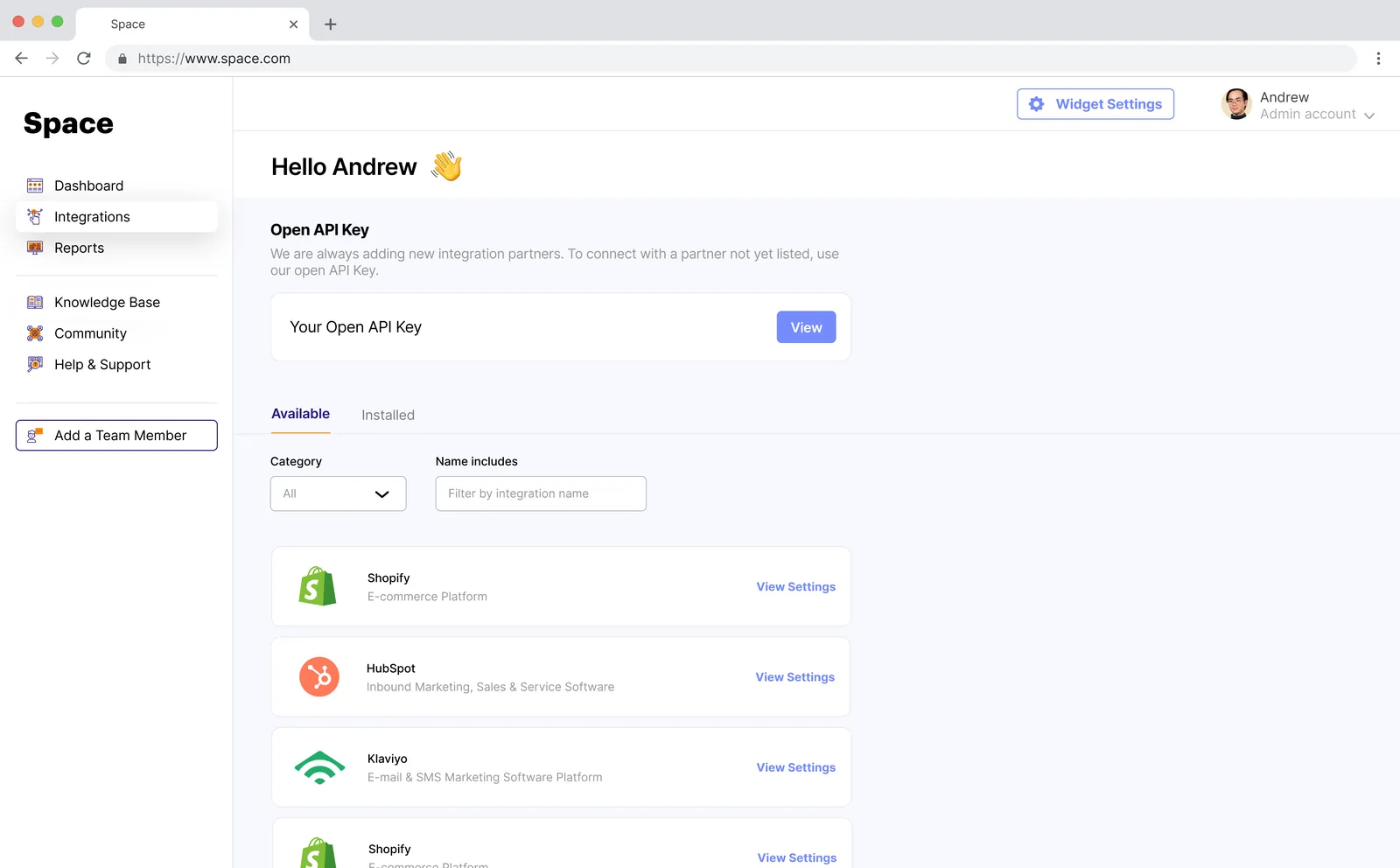
Space lets companies put live audio on their own website. The widget is what visitors see. The web app is where the company’s team signs up, installs the widget, creates and hosts audio rooms, takes 1:1 calls with customers and looks back at who joined. We designed it end to end.
The brief
The widget only works if the people behind it can set it up and run it without help. Space needed a web app that takes a company from sign-up to its first live room, then gives the team what it needs during and after every conversation.
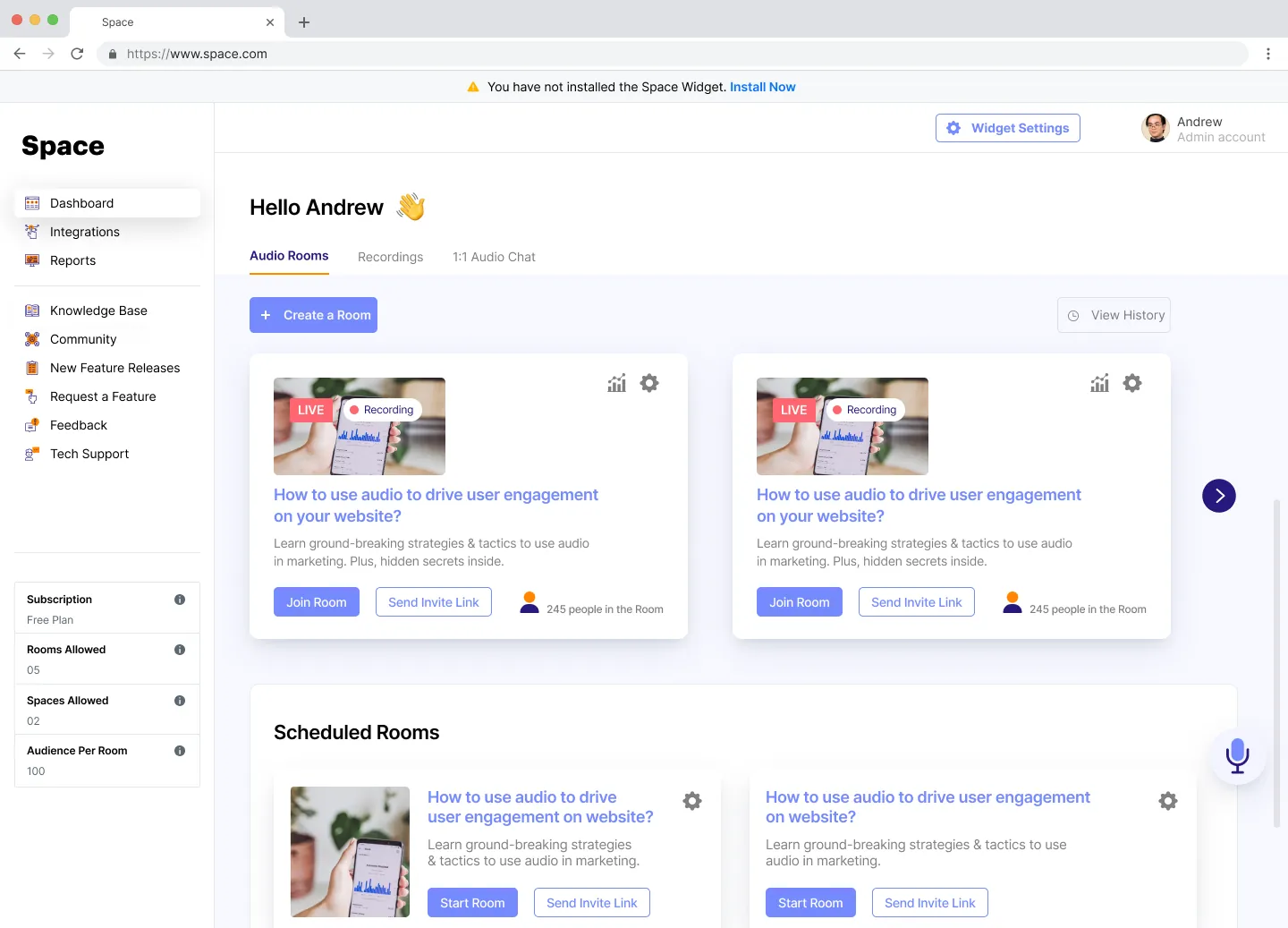
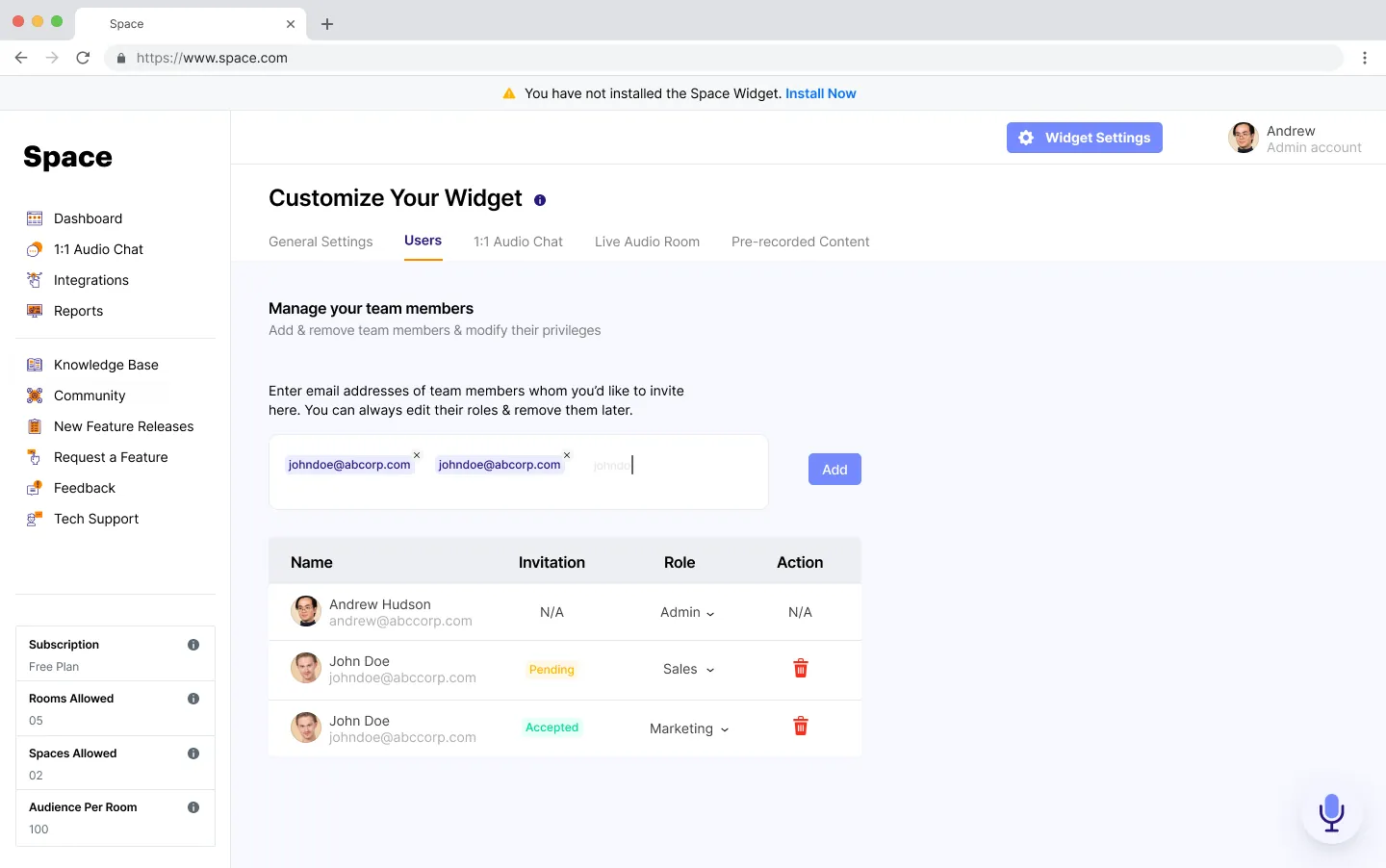
It is used by two kinds of people. Admins, often founders, marketers or product leads, install the widget, style it, schedule rooms and invite the team. Team members in sales and support answer customers who call in from the website, with the customer’s details beside the call.
The web app covers four jobs:
Create an account, install the widget with one snippet and switch features on.
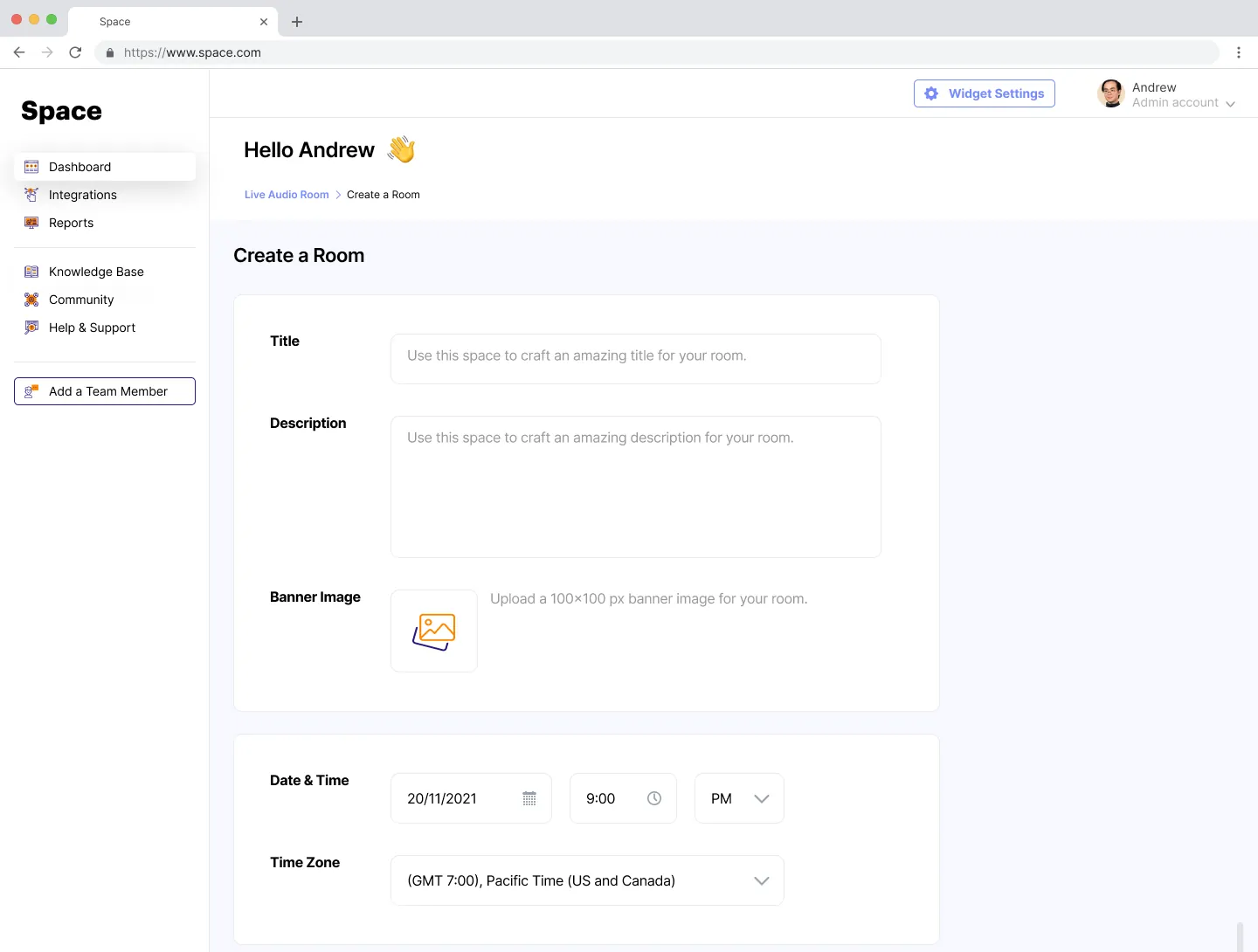
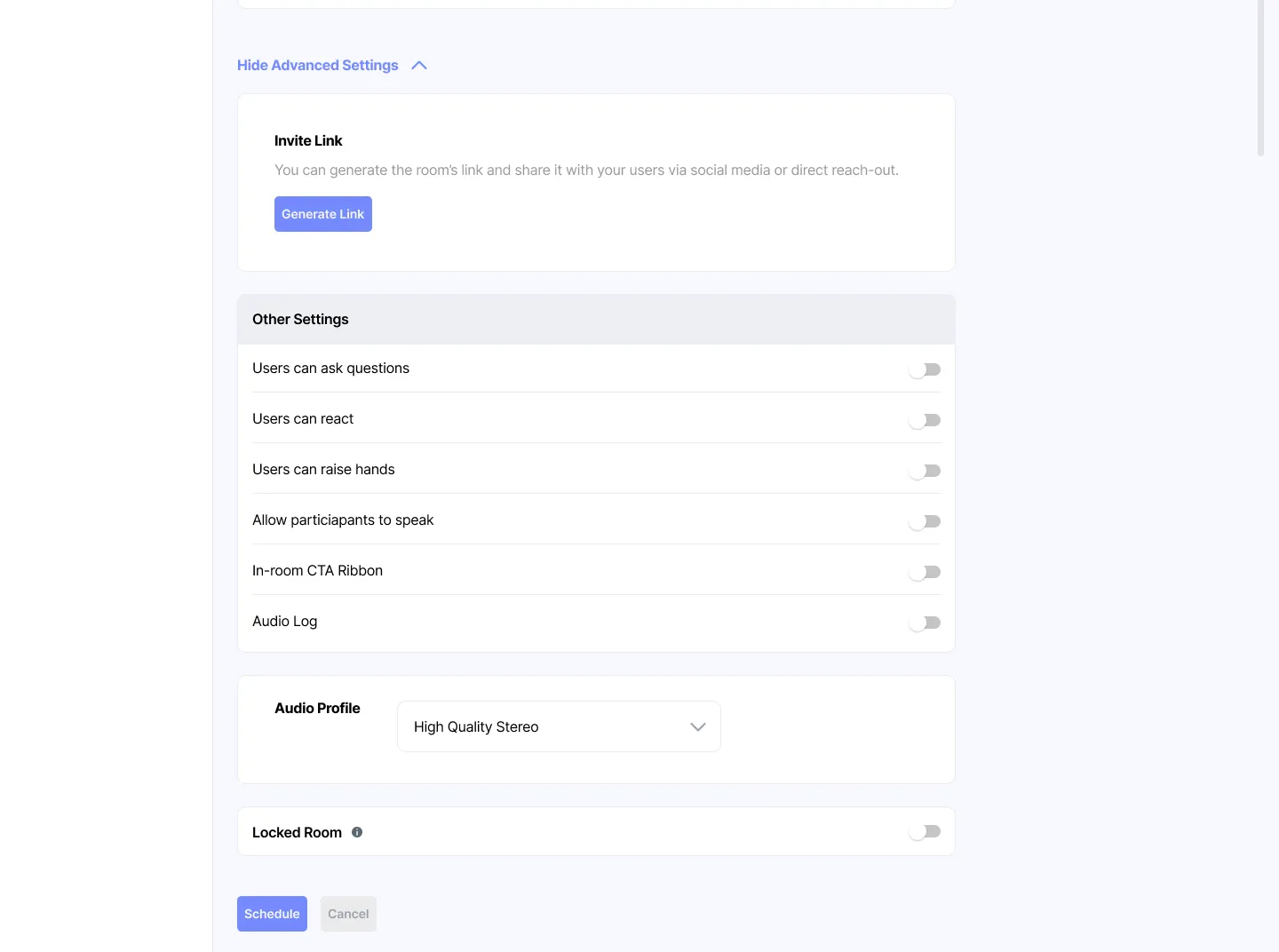
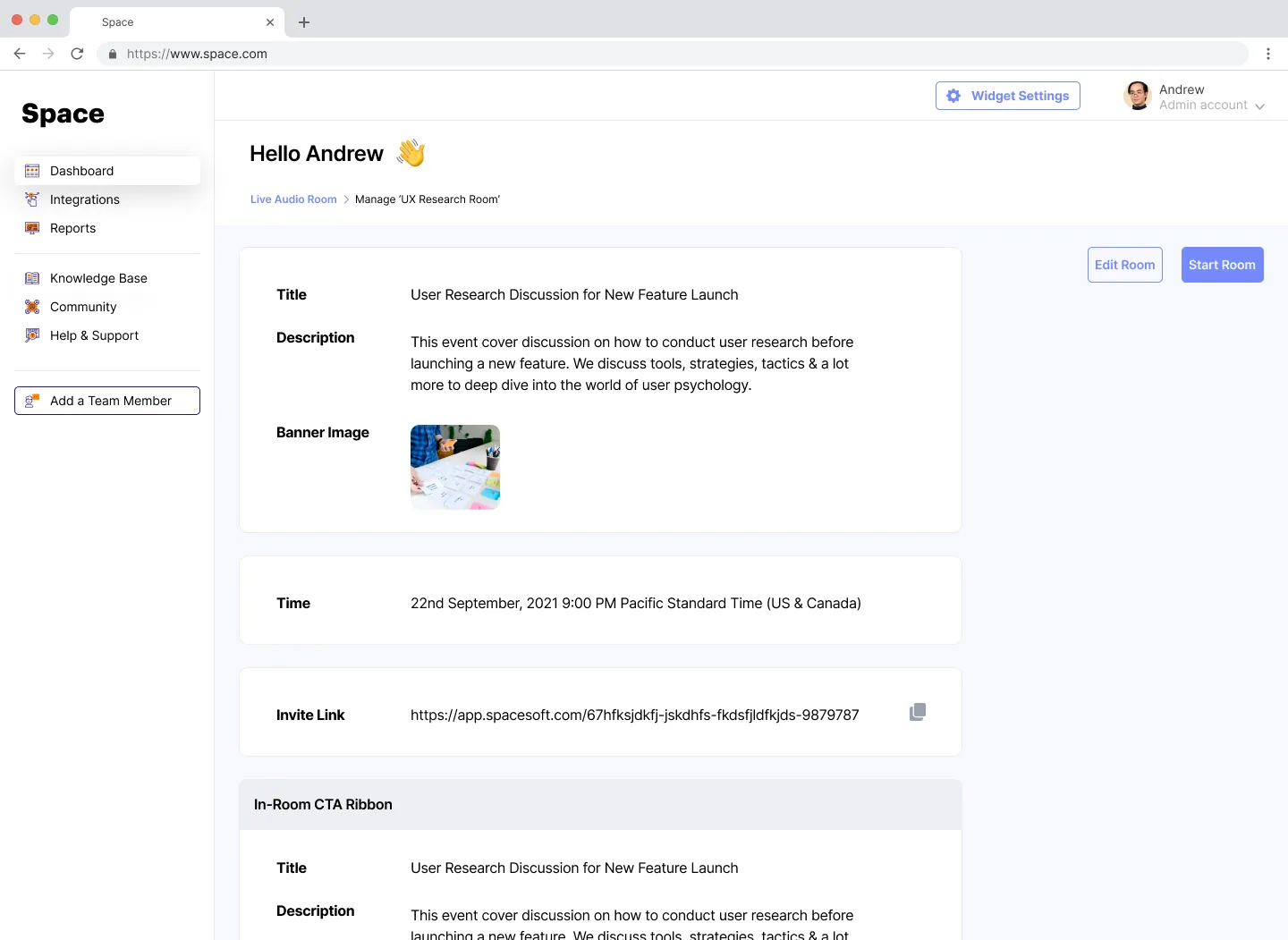
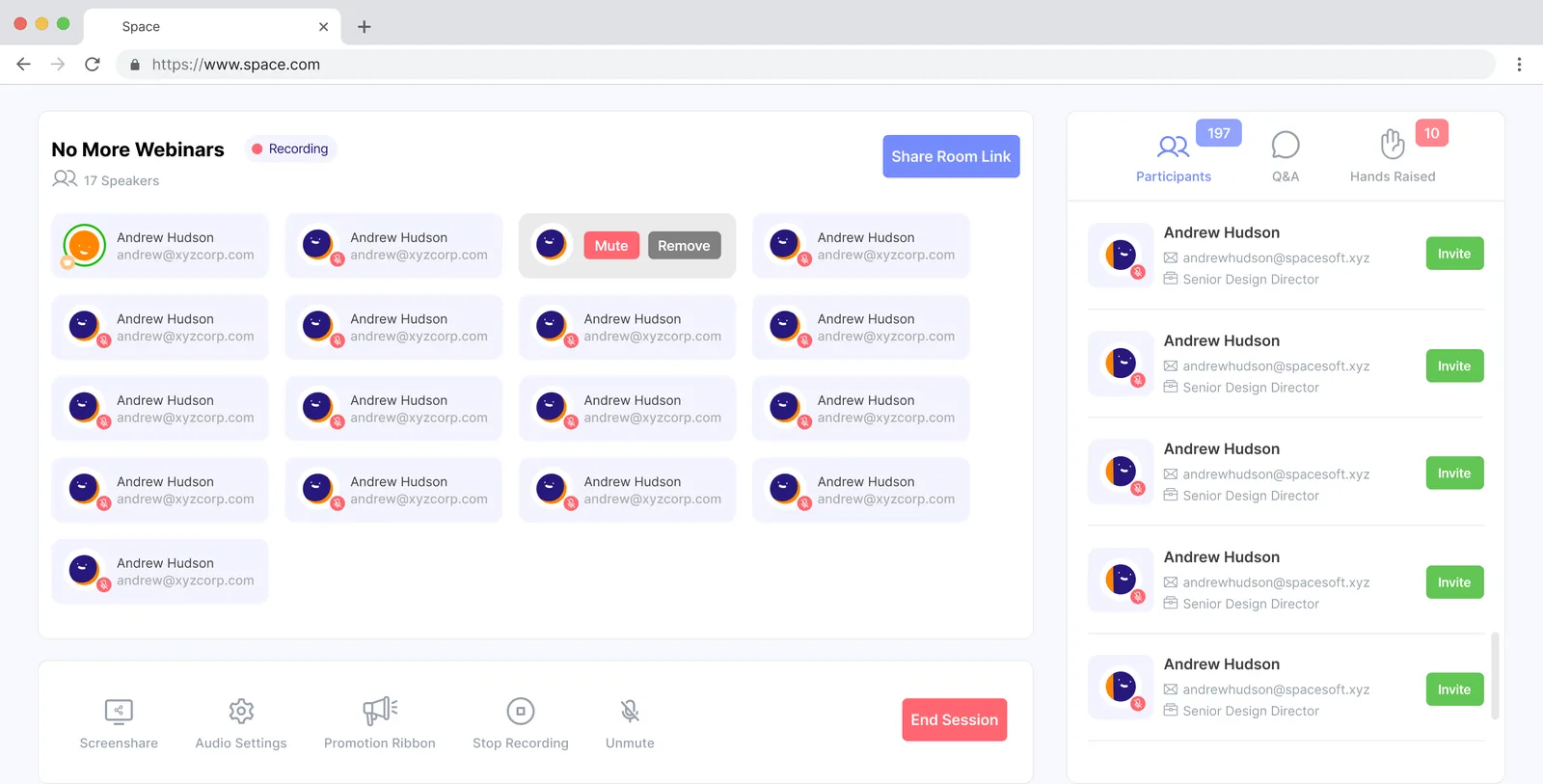
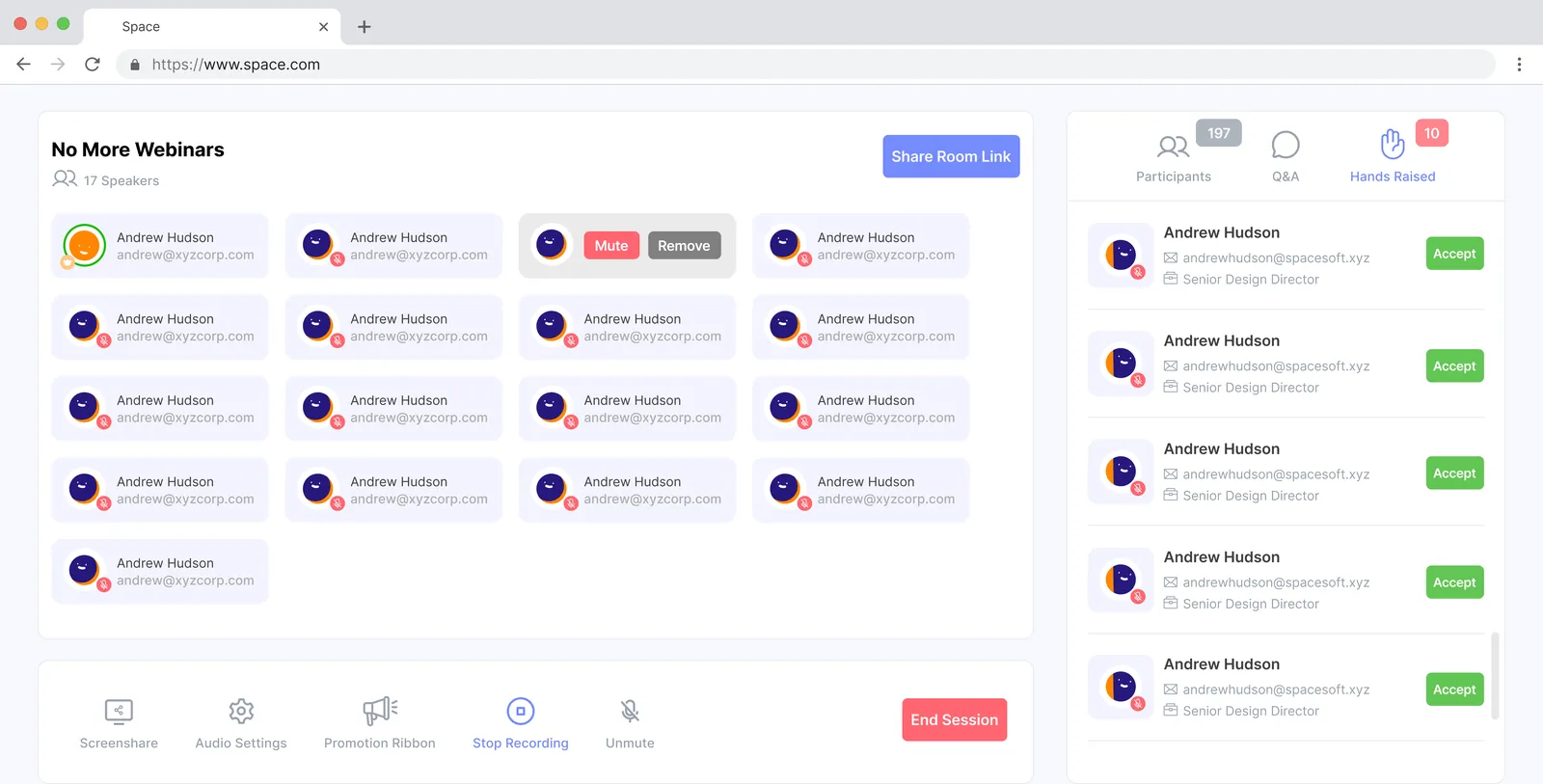
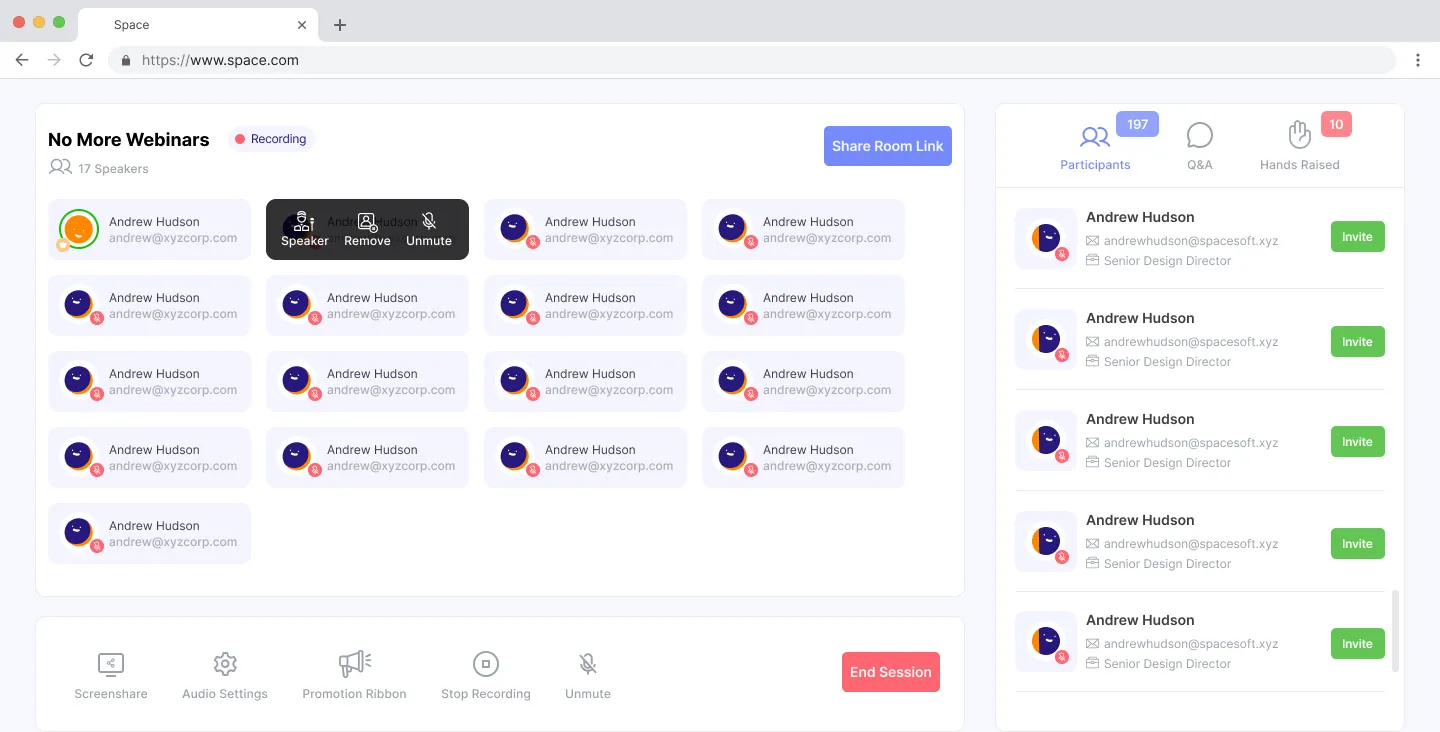
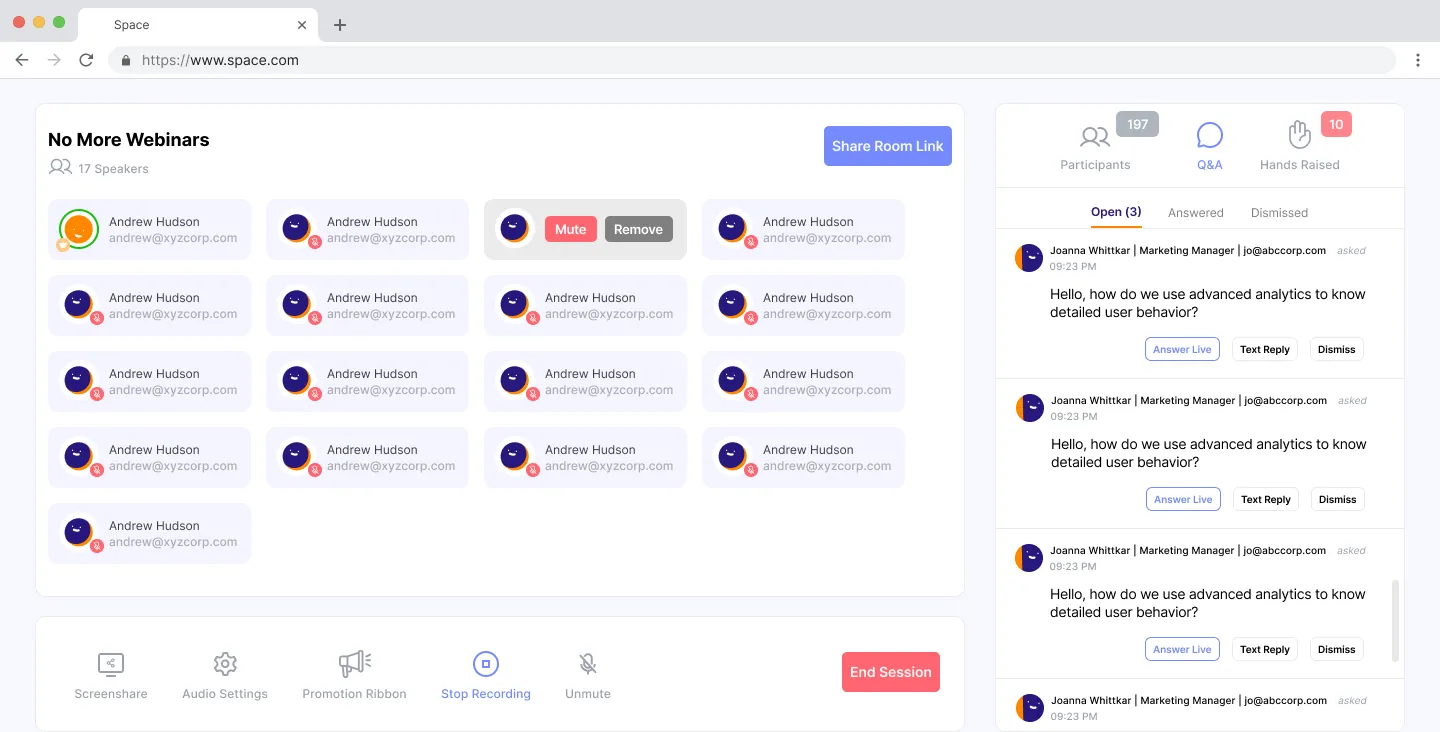
Schedule a room, host it, bring listeners on stage and answer questions.
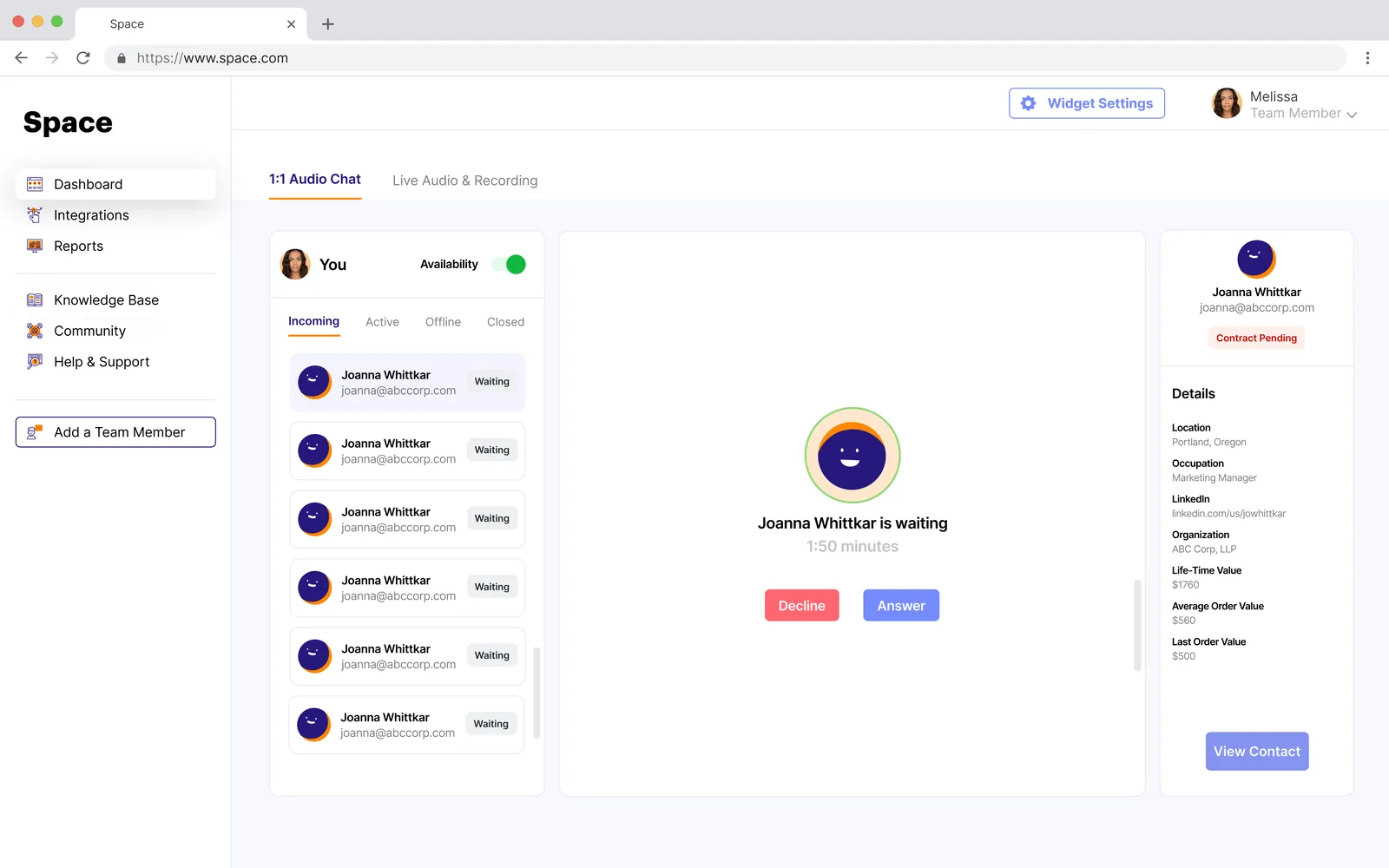
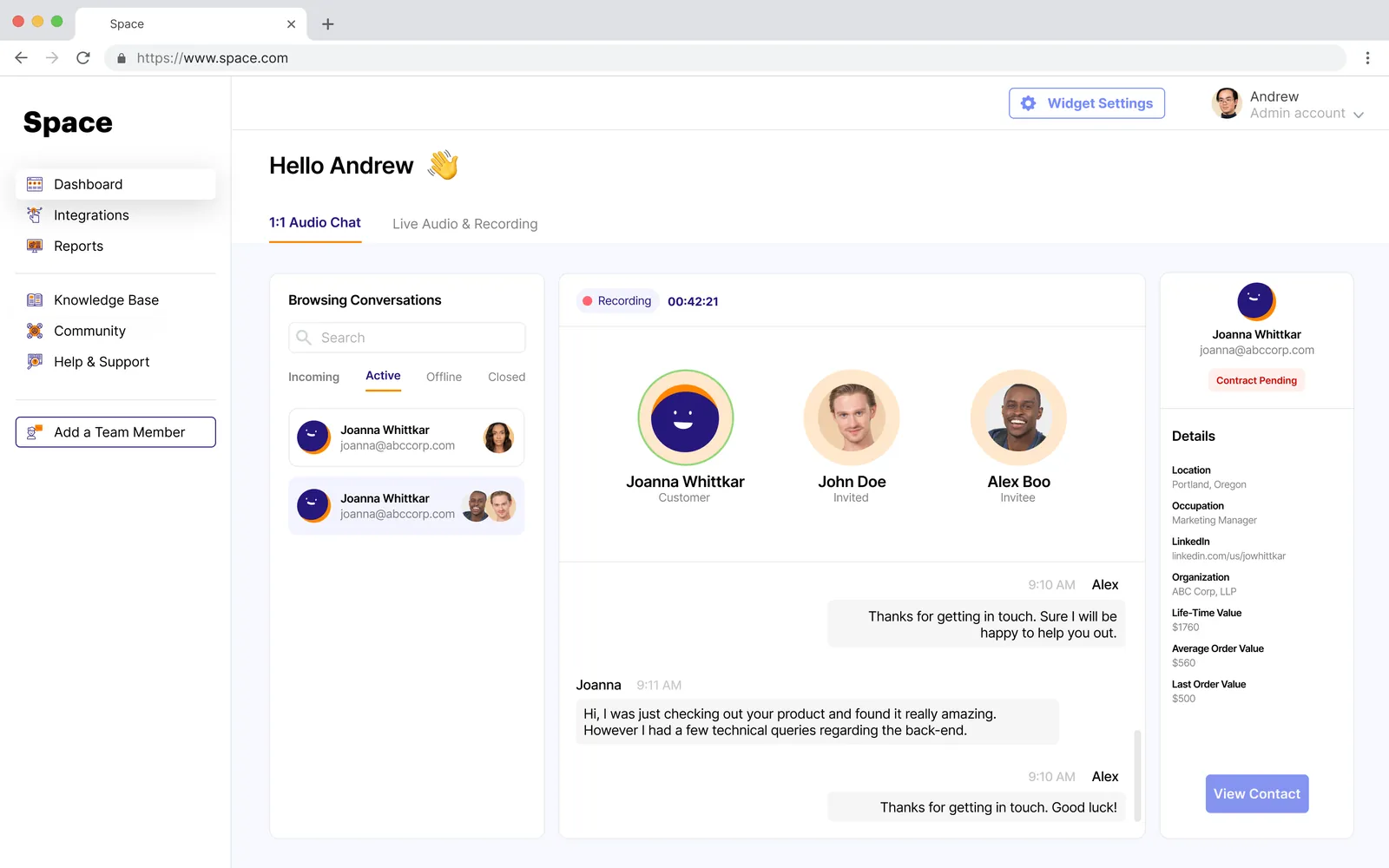
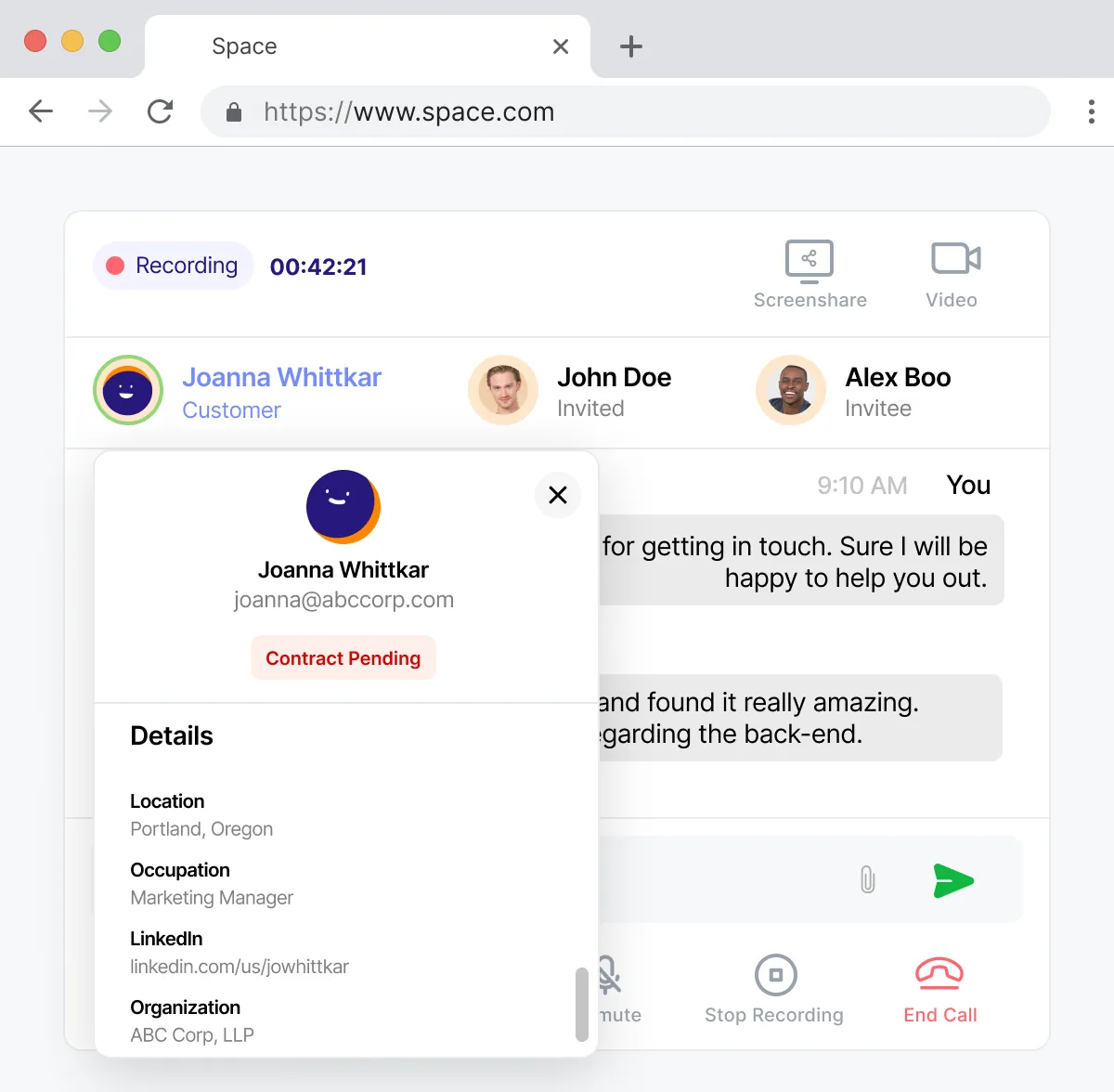
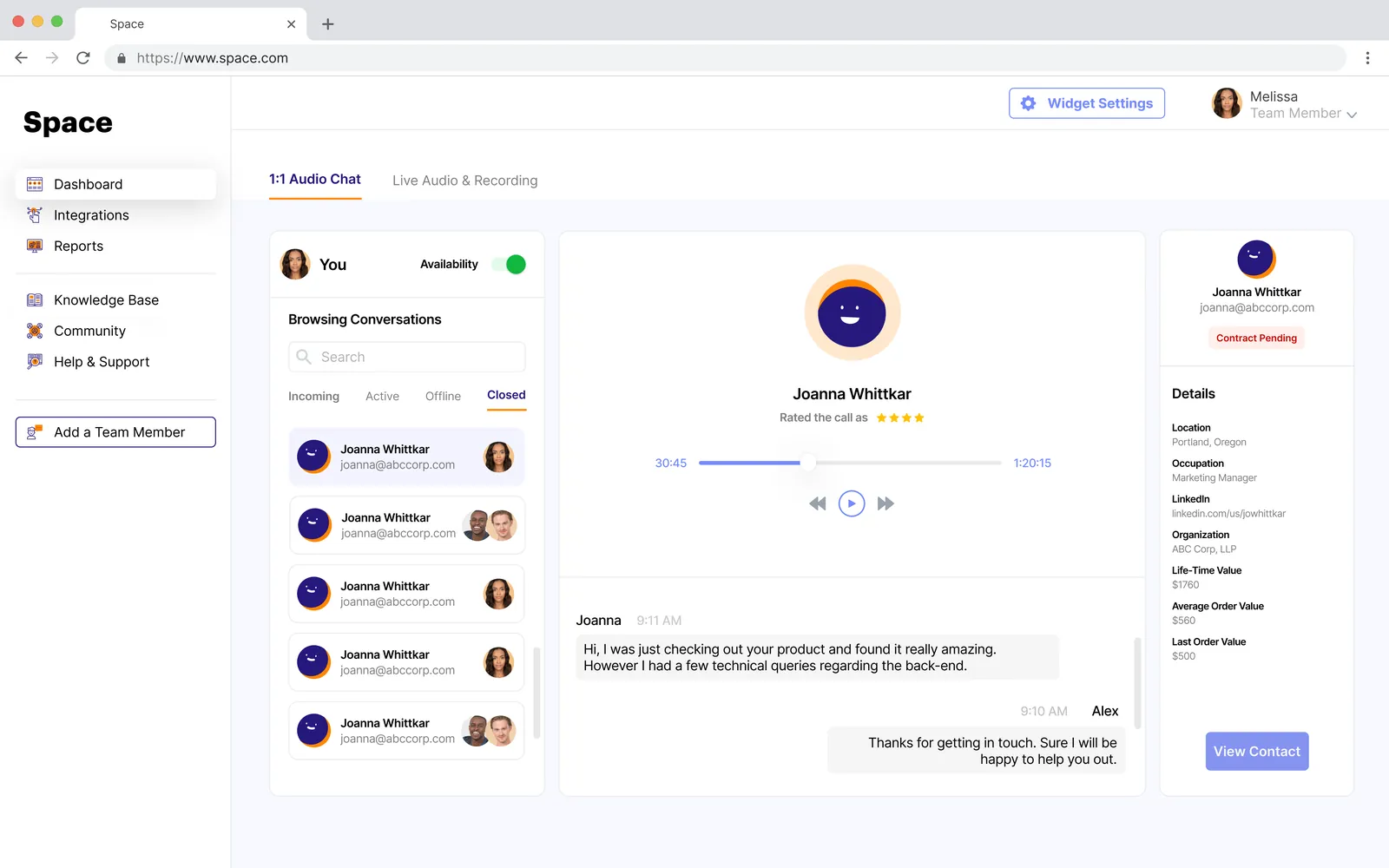
Answer customers waiting on the website and pull in a teammate when needed.
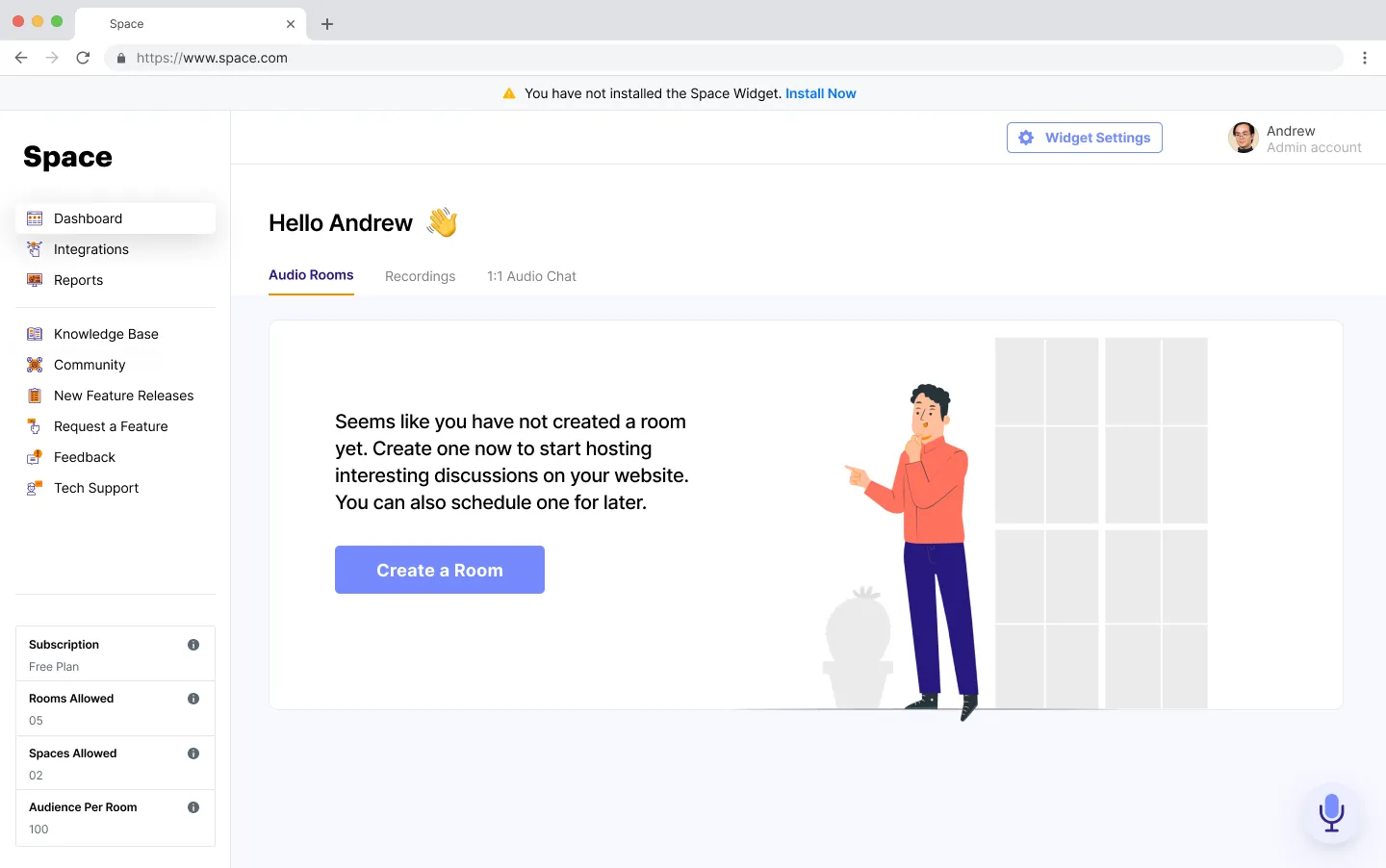
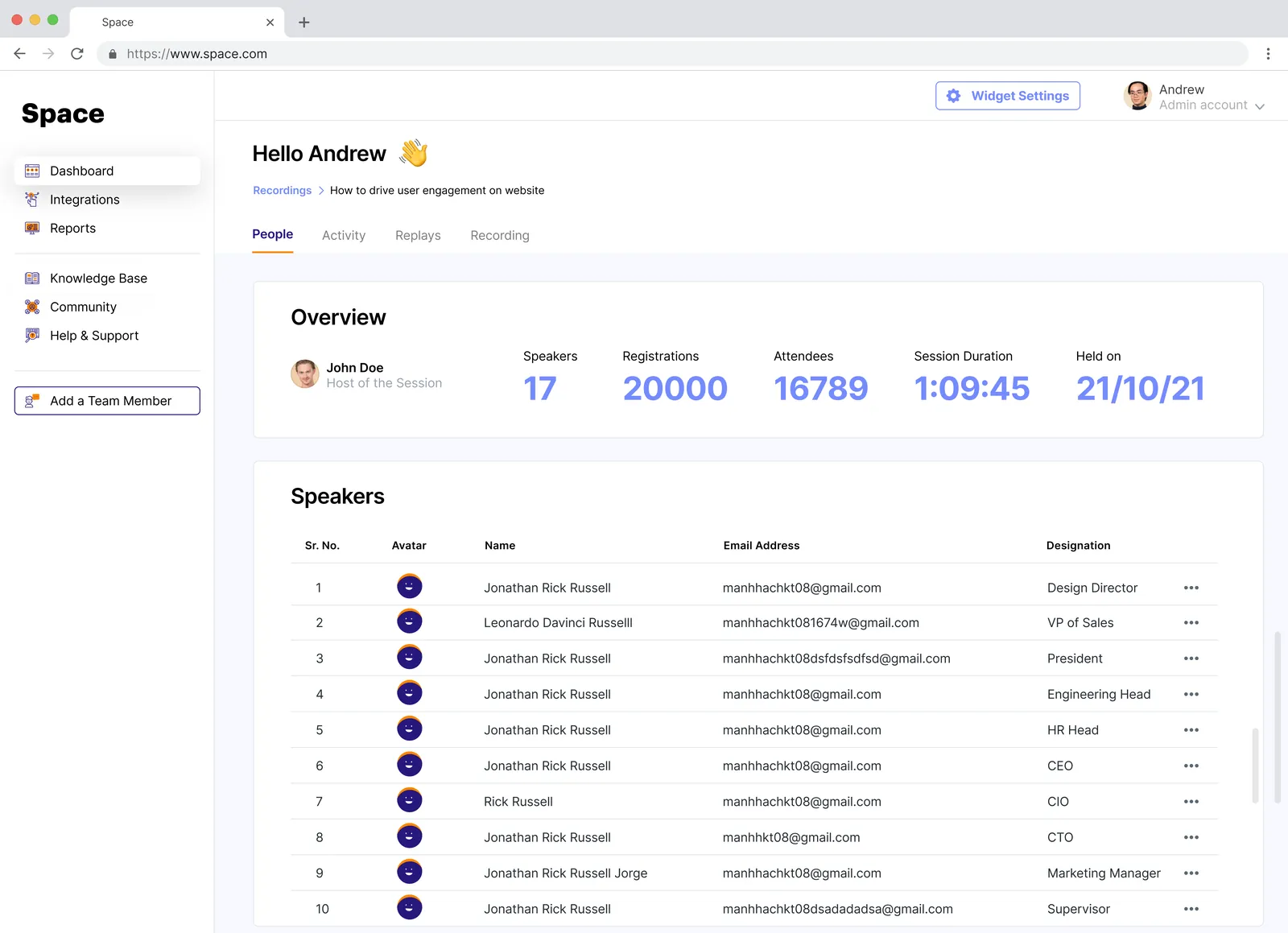
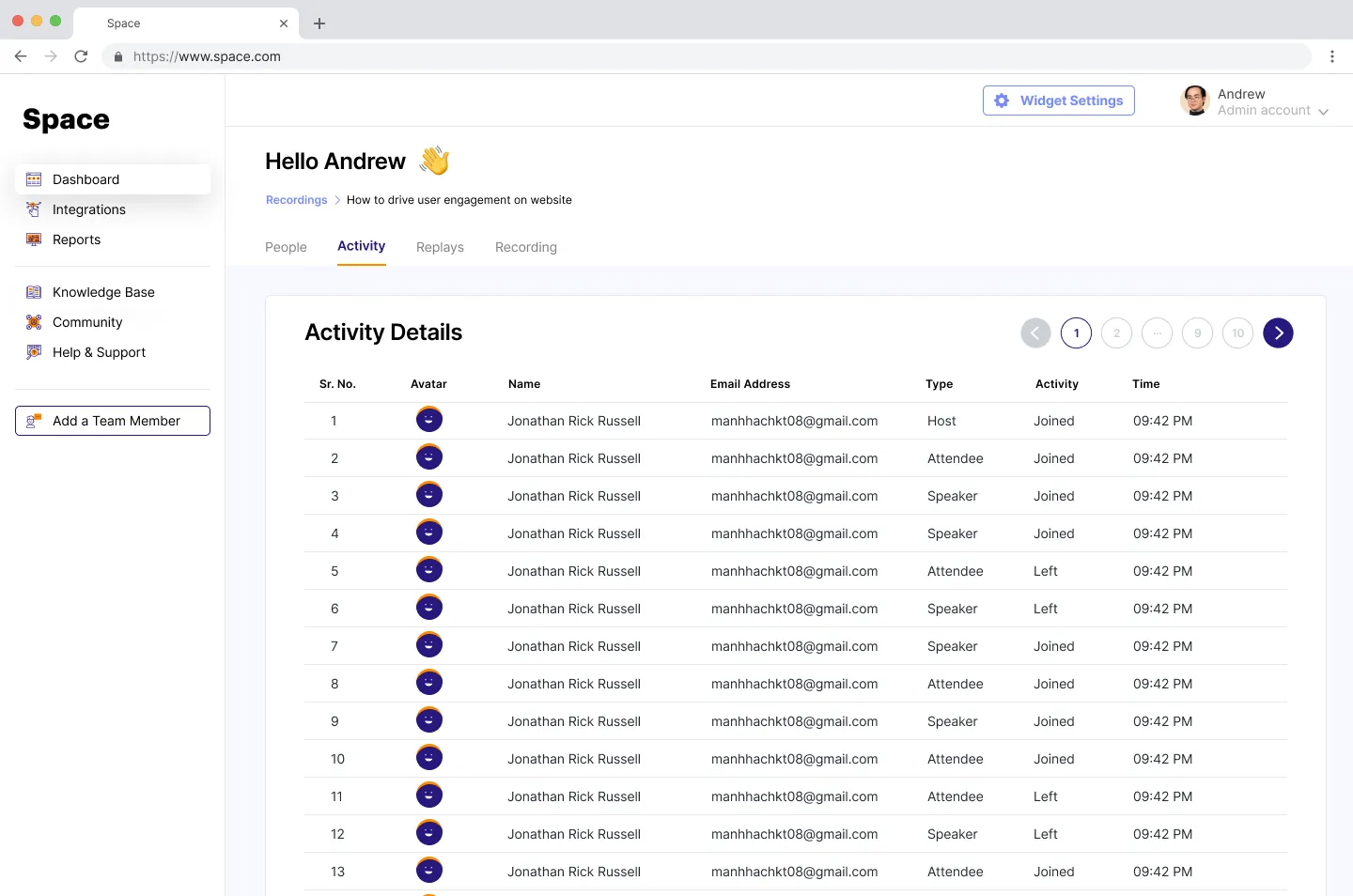
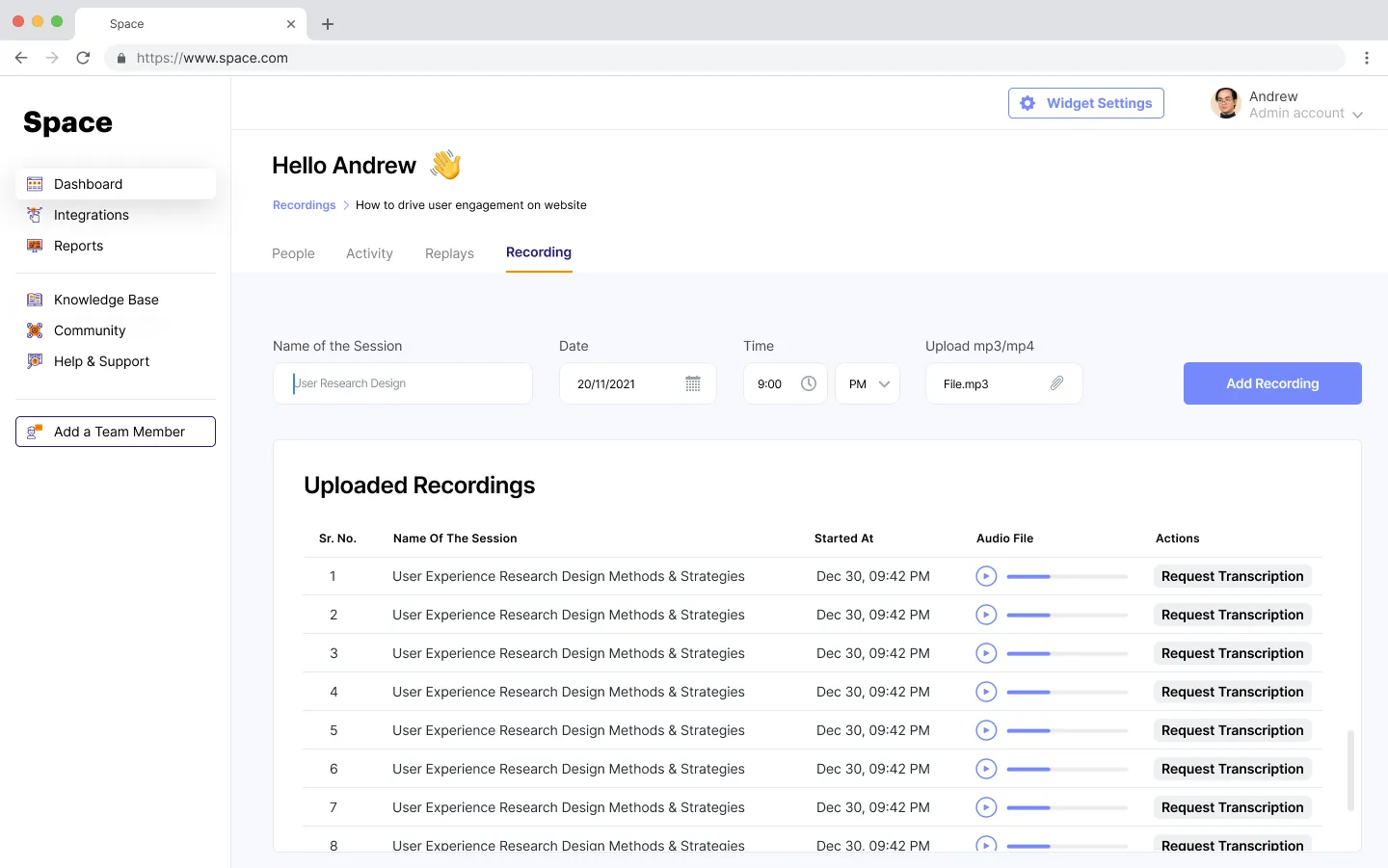
See who registered, who joined and when, and keep recordings in one place.
Sign up and install
The dashboard
Creating an audio room
Hosting a live room
1:1 audio chat for the team
Settings
Analytics
Design decisions
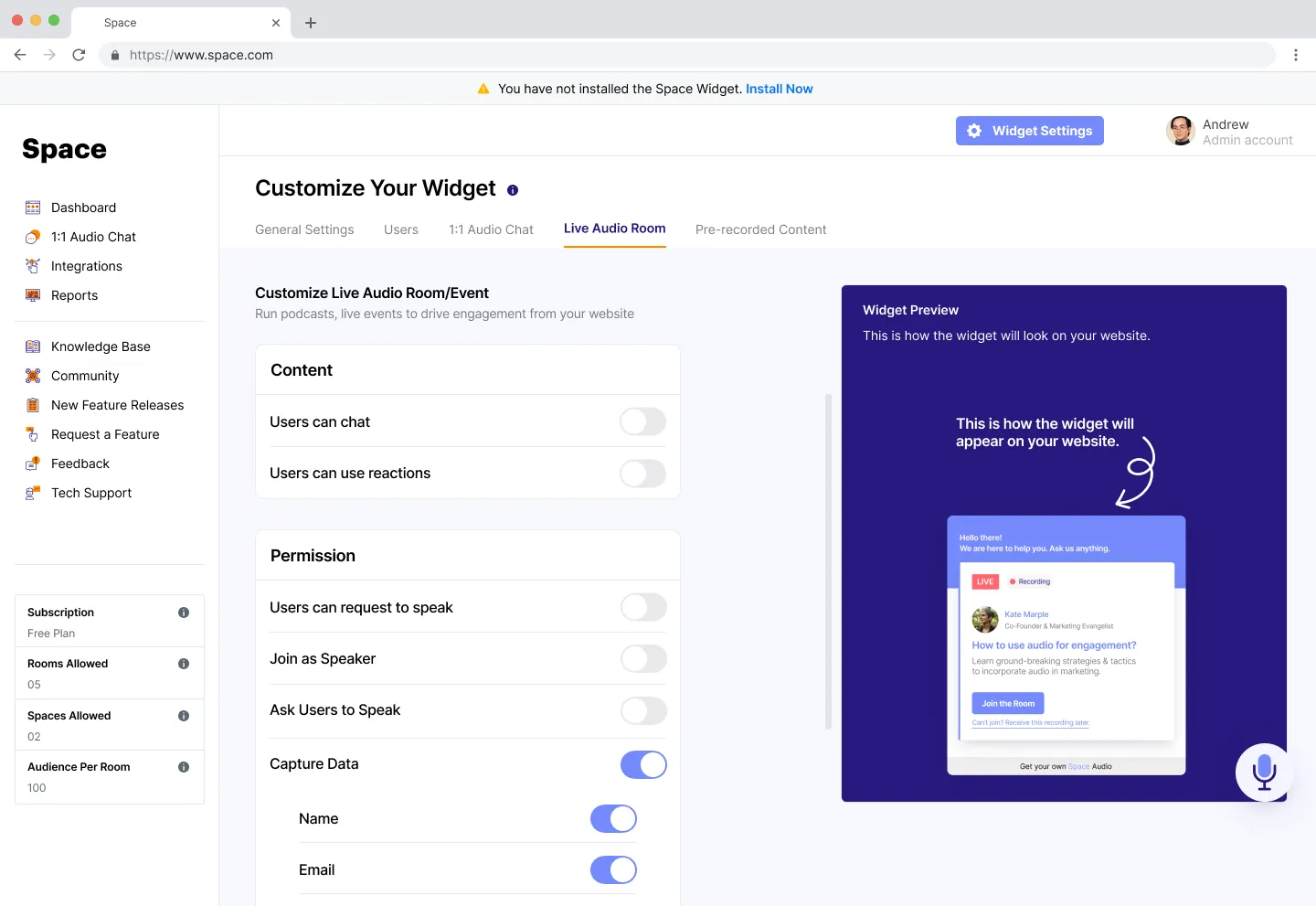
Every widget setting has a live preview beside it, so admins see what visitors will see before they save.
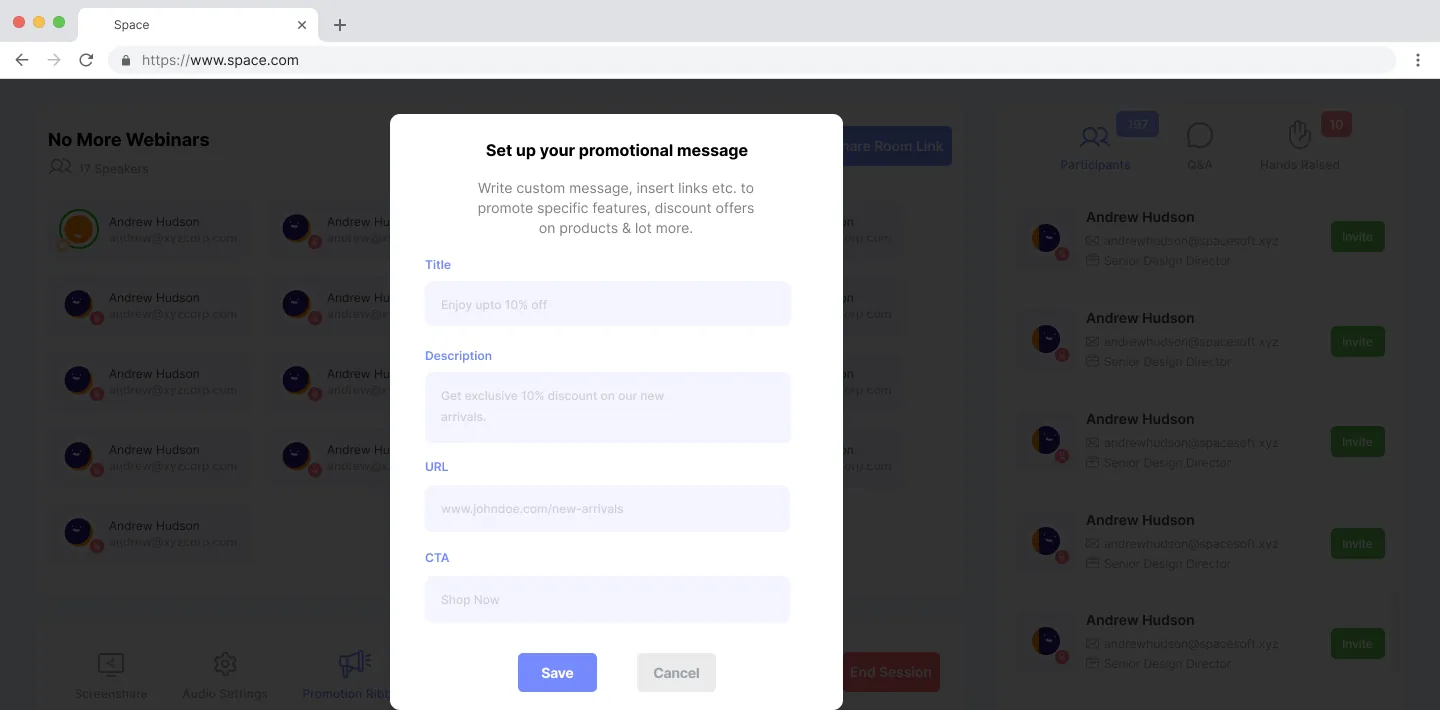
A room needs only a title and a time. Permissions, ribbons, audio quality and locked rooms stay under “Advanced settings”.
In 1:1 calls, the customer’s role, company and order history sit next to the call, so sales and support never go in cold.
Empty dashboards, recordings and chats each explain what goes there and offer the one action that fills them.
Building a product people talk about?